In short: A Google Business Profile is the listing that shows your business on Google Search and Maps. To set one up, sign in with a Google Account, add your business with its real name, address or service area, one precise category and your hours, then verify it by phone, email, video or postcard. After that, add photographs, answer reviews and keep your details current.
This guide is for shop owners, studios, restaurants, tradespeople, clinics, photographers and anyone else who serves customers in a place, whether they come to you or you go to them. It also covers the awkward case of a business that works from home and does not want its address shown.
It follows Google's own Business Profile Help pages, which we opened and read in November 2026, and quotes their limits exactly. It does not cover advertising. It does cover what you can control: your details, your categories, your photographs, your reviews and your website, and what Google says it does with them when it ranks local results.
What is a Google Business Profile?
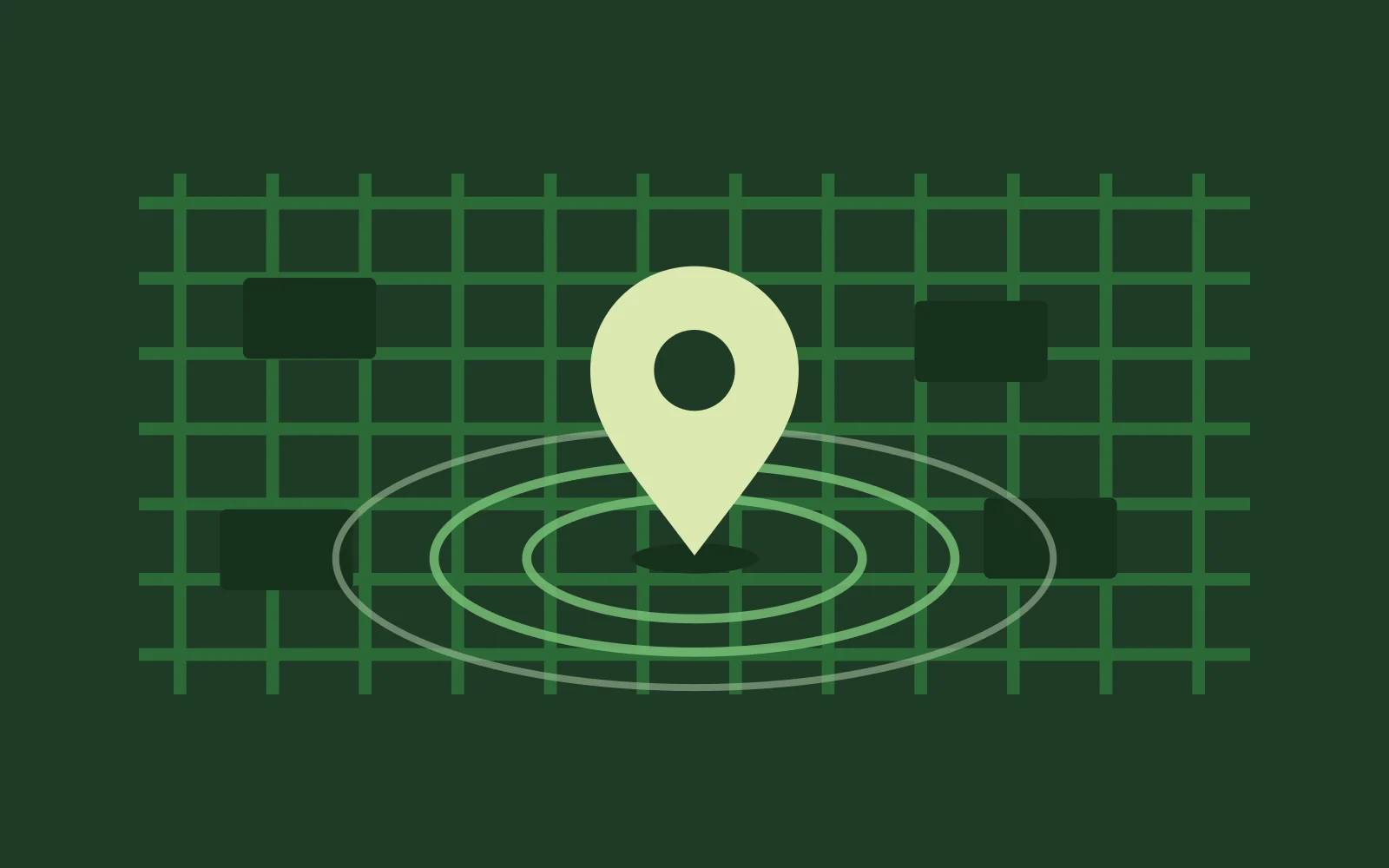
A Google Business Profile, often shortened to GBP, is the panel of information Google shows when someone searches for your business or for the kind of thing you do near them. It carries your name, address or service area, opening hours, phone number, website, photographs, reviews and, if you add them, posts. It appears in Search and in Google Maps.
For many local businesses it is the first thing a customer sees, ahead of the website. A person who types a shop name, or "plumber near me", usually acts on what the panel says: they call the number, tap for directions, read a few reviews, or leave. If the hours are wrong, they arrive at a closed door and do not come back.
The profile is about the business, not about the website. Your website still matters, because Google reads it to understand what you do, and because it is where you can say more than a profile allows. We cover that side in website SEO for small businesses. This post is about the profile itself.
Who can have a Google Business Profile?
A business can have a profile if it has a physical location customers can visit, or if it travels to customers' locations. Google's guidelines for representing your business say each business gets only one profile, because several profiles for one business cause problems on Maps and Search.
Several kinds of business do not qualify. The same guidelines rule out virtual offices and rented mailing addresses where you do not operate, and say sales associates, lead-generation agents and support staff cannot have individual profiles. Google's page on adding your business information adds that an online-only business is not eligible, because the profile is for businesses with in-person contact with customers during business hours.
If you have a shop, a clinic, a studio you work from or a restaurant, you are eligible. If you run a business from home and visit clients, you are eligible as a service-area business. If you run only on the internet, with no place and no visits, you are not. The table below sorts the common cases.
| Your situation | Eligible? | What to show |
|---|---|---|
| Shop or office where customers walk in during stated hours | Yes | Address and hours; signage with the business name at that address |
| You go to customers (repairs, photography, tutoring) and have no walk-in premises | Yes, as a service-area business | Hide the address, list the service area |
| Hybrid: a staffed workshop plus visits to customers | Yes | Address and service area |
| A rented mailbox, virtual office or co-working desk with no staff and no customer access | No | Nothing; do not list that address |
| Online-only shop, no place customers visit or you visit | No | Use your website and social pages |
| Second brand sold inside another shop | Generally no | Google says a brand sold inside another business generally cannot have its own profile there |
| Two businesses at one address that need different categories, such as a restaurant inside a hotel | Yes, one each | Different names; each with its own categories |
How do you set up a Google Business Profile?
You add the business at business.google.com, enter your details, choose how to verify, and complete the verification. Google's page on adding or claiming a Business Profile says you can also claim an existing profile by finding the business in Google Maps and choosing the claim option. A business may already have an unverified profile that Google built from public information, so search for yours first.
Work through these steps in order:
- Search for your business on Google Maps first. If a profile already exists, claim it instead of creating a second one, because duplicates are against the guidelines.
- Sign in with a Google Account that you control. Use an account tied to the business and not to a staff member who might leave. Google lets you add other owners and managers later.
- Enter the business name exactly as it appears on your signboard, website and stationery.
- Choose one primary category that says what you are, and add secondary ones only if they are accurate.
- Enter your address if customers visit you, or your service area if you go to them, and hide the address if there is no staffed storefront.
- Add a phone number you answer and your website address.
- Set your regular opening hours.
- Choose a verification method and finish it.
- Once the profile is verified, add a logo, a cover photograph, a few photographs of the place and the work, and a short description.
Keep a note of the account, the verification method and the date. When the person who set it up leaves, the profile should not leave with them. Add a second owner as soon as the profile is live.
How do you set up a service-area business without showing your address?
If you work from home or visit customers and have no staffed storefront, you set up one profile, enter your base address for verification, and hide it so that only your service area shows. Google's guidelines say to hide your address if you do not have a storefront that receives customers during stated hours, and to use one profile for a central location with a designated service area.
There are limits. The guidelines say a service area should not extend farther than about two hours of driving time from your base, though a larger area may suit some businesses. Age-restricted businesses such as alcohol, cannabis and weapons are not permitted as service-area businesses without a storefront. Delivery-only food brands must hide their address, list service areas and face extra verification.
Hybrid businesses can show both. The guidelines give the example of a garage that also does roadside repairs: if the location is staffed and receives customers, it can show a storefront address and a service area together. If you are not sure whether you count, ask whether a stranger could walk in at the stated hours and be served.
Give the service area as places a customer would name: the neighbourhoods and cities you actually visit. Do not list every area you could conceivably reach. It is tempting, and a list of forty areas reads like an attempt to look bigger than you are.
The guidelines also set rules on addresses. Use a precise address, and if you need a suite or mailbox number, put the physical address on the first line and the suite on the second. Do not put URLs or keywords in the address lines. If the system cannot find your street number, you can place the pin on the map yourself.
How should you choose a business name and categories?
Use your real-world name exactly as it appears on your signboard, and choose the fewest categories that describe what you are, as specifically as possible. Google's guidelines are firm on both. A name stuffed with services or a place is the most common reason a profile edit is rejected.
On names, the guidelines say not to add taglines, store codes, trademark symbols, hours, phone numbers, URLs, product or service descriptions or location details. Fully capitalised names are not allowed, so "SUBWAY" is rejected and "Subway" is accepted. Do not repeat the name in several scripts or languages, which matters for businesses that write their name in both English and a regional script.
Special characters or legal terms such as LLC need real-world proof, such as signage or invoices, that they are part of the name.
On categories, the guidelines say to choose ones that describe what the business is, not a list of services, products or amenities. A category is not a keyword, so "wedding photographer" is a fine category and "wedding photographer Bangalore cheap" is not a thing you can enter. The primary category does the most work. A business that describes itself as a bakery should not choose "restaurant" because more people search for it.
The table shows how the common mistakes look and what to do instead.
| What people enter | Problem under Google's guidelines | What to enter |
|---|---|---|
| Name with the city and service added after it | Descriptions and location details are not part of a name | The name on your signboard and nothing else |
| Name in capital letters | Fully capitalised names are not allowed | Ordinary capitalisation |
| Six categories, including ones you rarely do | Use the fewest that describe your core business | One primary category, plus secondary ones that are true every week |
| A category that is really a product, such as a single dish | Categories say what the business is, not what it sells | The type of business |
| A keyword string in the address line | Keywords and URLs are not allowed in address lines | The street address, with suite on line two |
| Hours listed for an appointment-only business | Appointment-only schedules should not list hours | Leave hours off, and say "by appointment" in the description |
How does Google Business Profile verification work?
Verification proves that you are allowed to represent the business, and Google decides which methods it offers you. You cannot choose one it has not shown you. The options, according to Google's verification page, are a phone call or text, an email, a live video call, a recorded video and a postcard.
The details matter, because each method has a trap:
- Phone or text: Google sends a code to your business number. It cannot be received by an automated answering system that asks callers to press keys.
- Email: you confirm using an address you can open during verification.
- Live video call: a support representative walks you through it. You show your location, your business or equipment, and proof that you run it, such as areas only staff can enter. Calls are available only during your business hours.
- Video recording: Google recommends it when you are eligible, and links to a separate help article for it.
- Postcard: Google mails a five-digit code to the business address. Most arrive within 14 days, and the code expires after 30 days. Do not edit your name, address or category while you wait, and do not request a second code, since that invalidates the first.
After you complete the steps, Google reviews the submission, which the page says can take up to five business days and rarely longer. Instant verification happens if you verify your website in Search Console or use bulk verification. Photographs and videos you upload will not appear publicly until the profile is verified.
Google says it will never ask for your verification code, and that you should not share it, even with people who help manage the profile. If someone offers to "verify your profile for you" and asks for the code, that is the scam.
Which photographs and videos should you add?
Add a logo, a cover photograph, photographs of the outside and inside of the place, your products or work, and your team if they are happy to be shown. Google's photo and video guidance says an exterior photograph helps customers find you when they visit.
The technical limits at the time of writing (November 2026) are specific. Photographs should be JPG or PNG, between 10 KB and 5 MB, with a recommended size of 720 by 720 pixels and a minimum of 250 by 250. Videos can run up to 30 seconds, up to 75 MB, at 720p or higher. Google asks for photographs that are sharp, well lit and accurate, and says to avoid significant edits and heavy filters.
Photographs should show your real business. A stock image of a smiling team that is not yours breaks the idea of the profile, and a heavily filtered image misleads the customer who turns up. Take new ones when something changes, such as a refit, a new menu or a new product line.
What to shoot is simple. Start with a bright photograph of the front, taken from the street so that a stranger could recognise it, then the entrance, then the inside with people in it if possible. Add your most-asked-for product or the work you most want to be hired for. A short video that walks from the street to the counter helps a first-time visitor more than a polished clip does.
If you need photographs of a shop, a product or a team, our photography service does products, behind-the-scenes and portraits, and our video service can cut a thirty-second walkthrough to the length Google allows. A phone and daylight are enough for a first set. Replace them when the place changes.
How do you get Google reviews, and how should you answer them?
Ask every happy customer to review you, make it easy with the review link or QR code Google gives you, and reply to every review in public, politely and briefly. Google's page on reviews says customers need a Google Account to post and that you can share a link or QR code to make it quick.
The rules are strict, and they are worth reading, because a profile can lose reviews or be penalised for breaking them. Google's prohibited and restricted content policy says that incentivised reviews are removed, including those posted for payment, discounts or free goods, and those posted after a business offered an incentive to change or remove a negative review. Merchants cannot discourage negative reviews, selectively ask for positive ones, require reviews on the premises, set staff quotas for review requests or ask for specific content in a review.
That leaves one honest approach: ask everyone, ask after a good experience, and never pay for a review or offer a discount in exchange. Google says merchants may encourage genuine reviews without offering incentives or trying to influence the rating. A friend or relative writing a five-star review is a conflict of interest and the policy lists familial ties.
Here is a message you can send after a job or a visit:
Thank you for coming in on Saturday. If you have a minute, a review on Google helps other people find us, and we read every one. Here is the link: [review link]. Whatever you think, honest is best.
When you reply, use the reviewer's name, thank them for something specific and keep it short. Google's advice is to keep replies polite and relevant, to avoid promotions in them, and to reply promptly. For a negative review, be honest about any mistake, explain what you can and cannot do, apologise where it is fair, and invite the person to contact you privately for complex issues. Never reveal the reviewer's private information or reply with a personal attack.
A short, calm reply to a bad review tells the next reader more about you than the review does. If a review breaks Google's content rules, for example because it is promotional, includes a phone number or is written by a competitor, you can flag it for removal. A review you simply dislike is not grounds for removal.
What should you post on a Business Profile?
Post news a customer would act on: a new product, a festival timing, an offer with an end date, an event with a date and time. Google's page on posts describes three types: an update, an offer, which needs a title and dates, and an event, which needs a title, start and end dates and times.
You can add a photograph, a video, a button and, for offers, a coupon code. Posts can be scheduled in advance or set to recur. Posts older than six months are archived unless you set a date range, so a post about a festival in October will not be there by next spring, and you should not rely on one post to say something permanent.
Posts with phone numbers may be rejected if Google cannot verify that the number belongs to the business. Use the call button, which uses the verified number on your profile. Hotels cannot post offers or anything about deals or discounts. An offer post is also a promise you now have to honour, so write only what is true on the day.
A realistic schedule for a small business is one post a fortnight, or whenever something changes. Posting daily is not needed, and it is better to post nothing than something stale. Use real photographs, plain words and one clear action.
How does Google decide which businesses to show?
Google says local results are based mainly on relevance, distance and prominence. Its page on improving your local ranking defines relevance as how well a profile matches what someone searches for, distance as how far each business is from the searcher, and prominence as how well known a business is. Prominence can be helped by links from other websites and by more reviews with good ratings.
You cannot change distance, and the guidelines say to use the precise address of your actual location, so do not try to bend it. You can change relevance by completing every field accurately, and you can build prominence over time by earning honest reviews and being mentioned and linked to by other sites. Google states plainly that there is no way to request or pay for a better local ranking.
Google's tips from that page are all things you control: verify the business, keep information complete and current, including special hours and attributes such as parking, respond to reviews, and add photographs and videos. If you are a retailer in an eligible region you can also show products on the profile.
Your website feeds the same system. Make the name, address and phone number on the site match the profile letter for letter, and add the business to your site's structured data. Google's local business structured data page lists the name and address as required properties and recommends opening hours, a phone number with the country code and a URL for the location. The site and the profile then tell Google the same thing.
People who tap through from the profile arrive on a phone, often on mobile data, so the site has to load quickly. web.dev's Web Vitals page puts a good loading time for the biggest element on the screen at 2.5 seconds or less.
If you do not have a website that is clear about what you do and where, that is the first thing to fix. We make websites for small businesses, and the profile should always link to a page of your own.
What are the common mistakes that get a profile suspended or ignored?
The common mistakes are using a name that is not your real one, listing an address that is not a place you operate, creating duplicates, buying reviews and letting the details go stale. Most are avoidable if you read the guidelines once and keep one person responsible for the profile. The table gives the ones we would check first.
| Mistake | What the guidelines say | How to avoid it |
|---|---|---|
| Two profiles for one business | One profile per business | Search Maps before adding; claim the existing one |
| Listing a co-working desk or mailbox as a shopfront | Virtual offices and mailboxes are ineligible | Use a service area and hide the address, if you qualify |
| Keywords added to the name | Names must match the real-world name | Use the signboard name |
| Offering a discount for a review | Incentivised reviews are prohibited and removed | Ask, never reward |
| Editing name, address or category while a postcard is in the post | It can invalidate the pending code | Wait for the code, then edit |
| Wrong or missing holiday hours | Regular and special hours should be accurate | Update special hours before every festival |
| Ignoring reviews for months | Replying shows you value feedback | Reply within a few days |
| Different phone number on site and profile | Consistent details help matching | Copy the details once, paste both places |
A weekly routine that takes twenty minutes
You do not need to live in the dashboard. A short weekly check, plus an update whenever something changes, is enough for most small businesses. Put it in a calendar so it happens.
The routine below spreads the work across the month, so no single week takes long.
| When | Task | Time |
|---|---|---|
| Every week | Read and reply to new reviews; check for any wrong edits suggested by users or Google | 10 minutes |
| Every week | Add one real photograph: a new product, a finished job, the shopfront in a festival decoration | 5 minutes |
| Every fortnight | Publish one post if there is news; skip it if there is none | 5 minutes |
| Before every festival or closure | Set special hours | 2 minutes |
| Every month | Check that name, address, phone, website and hours match your site and signboard | 5 minutes |
| Every quarter | Review categories, description and photographs against what you now do | 15 minutes |
When Google or a customer suggests an edit, do not leave it. Check it, and if it is wrong, correct it. A wrong phone number from a helpful stranger can sit on a profile for months if nobody looks.
If you manage the profile for someone else, such as a client or an employer, ask to be added as a manager instead of using their login. That keeps the owner in control and keeps your access traceable.
Questions people ask
Is a Google Business Profile free?
The Help pages we read describe setting up and managing a profile without mentioning a listing fee, so check the current page on the day you start. Google does state that there is no way to request or pay for a better local ranking. What costs you is time: verification, photographs, replies to reviews and regular updates. Treat anyone selling a guaranteed top position as a warning sign.
How long does Google Business Profile verification take?
It depends on the method Google offers you. A postcard code usually arrives within 14 days and expires after 30. After you finish the steps, Google's review can take up to five business days, and rarely longer. Verifying your website in Search Console or using bulk verification can be instant. Do not edit your details while a postcard is on its way.
Can I have a Google Business Profile without a shop?
Yes, if you travel to customers. You set up a service-area business, verify with your base address, hide the address and list the places you serve. You are not eligible if you work only online, with no place customers visit and no visits to customers, or if your only address is a virtual office or rented mailbox.
How many reviews do I need to rank?
Google gives no number. It says prominence, meaning how well known a business is, affects local ranking, and that more reviews with good ratings can help. Relevance and distance count as well. Aim for a steady flow of honest reviews, not a target. A handful of recent, detailed ones beats a pile of identical ones.
Can I delete a bad Google review?
Only if it breaks Google's content policies, for example if it is spam, promotional, written by a competitor or by someone with a conflict of interest. You flag it for review. A review that is merely harsh or unfair stays. Reply politely, state your side briefly and offer to talk privately, which Google recommends for complex issues.
Why does my profile show the wrong hours or phone number?
Someone may have suggested an edit, or Google may have used information from elsewhere on the web. Sign in, check every field and correct it. Make sure your website and other listings carry the same details, since Google compares sources. Set special hours before festivals and closures so customers do not travel to a locked door.
Do I need a website if I have a Business Profile?
You can start without one, but you should link to a page of your own. The profile holds the basics, and a website says what you do, shows your work and gives a place to send people. Google reads the site to understand your business, and matching details on both help it connect the two.
Jayde Records builds websites for small businesses, shoots the photographs and short videos that go on a profile, and can set up the page the profile should point to. Tell us what the business does and where customers find it through the contact page, and we reply within 24 hours.