In short: A music video storyboard is a sequence of simple frames, one per planned shot, laid out against the song's structure so you can see the whole video before you shoot it. Build it from the treatment: split the song into sections, decide what each section shows, draw one frame per shot with its size, angle and movement, then turn the frames into a shot list. Stick figures are enough.
This guide is for musicians, managers and first-time directors who have an idea for a video and need to turn it into something a crew can shoot. It is also for anyone who has been handed a storyboard by a director and wants to know what it is telling them.
It covers the difference between a treatment, a storyboard and a shot list, a step-by-step method, what each frame should contain, how detailed to be, a template you can copy, and the mistakes that cost time on the day. If you are still choosing the kind of video, start with our guides to the types of music video and to briefing a music video.
What is a music video storyboard?
A music video storyboard is a series of drawn or photographed frames, in order, showing what each shot will look like, with notes on the lyric or beat it falls on. It is the middle step between the treatment, which describes the idea in words, and the shot list, which tells the crew what to film and in what order.
The Penn State MediaCommons guide to storyboarding describes it as a way of planning shots before filming, covering the content, angle, size, order and camera movement of each, and notes that it keeps a camera operator working to the same picture as the director and doubles as a checklist. For a music video, the song gives you the timeline, so every frame can be tied to a bar, a line or a time in the track.
| Document | What it is | Who reads it | When it is made |
|---|---|---|---|
| Treatment | The idea in words: story, look, mood, locations, how the song is used | The artist, the label, the people deciding yes or no | First, after the brief |
| Beat sheet | The song split into sections with a line on what happens in each | The director and editor | Between treatment and storyboard |
| Storyboard | One frame per shot, in order, with size, angle, movement and the lyric it covers | The whole crew, the artist, the editor | Once the treatment is approved |
| Animatic | The storyboard frames timed to the song as a rough video | The director, the artist, the editor | After the storyboard, before the shoot |
| Shot list | Every shot as a line item, grouped by location and set-up for scheduling | The assistant director, camera, lighting, art department | Last, once the storyboard is settled |
The storyboard is in the order the viewer will see the shots. The shot list is in the order you will film them. That difference matters on the day, because shooting follows the light, the location and the performers' energy, while the edit follows the song.
How do you make a music video storyboard, step by step?
You make one by breaking the song into sections, deciding what each section shows, planning the shots inside each section, drawing a frame for each, and then checking the whole thing against the song. Do these in order, because each step gives the next one its limits.
- Listen and mark the structure. Play the final or near-final track and write down where each section starts: intro, verse, pre-chorus, chorus, bridge, outro. Note the time of each and the number of bars.
- Read the treatment against the sections. For each section, write one sentence on what the viewer sees. If a section has no sentence, the treatment has a gap.
- Decide the shot count. Estimate how many shots each section can hold, using the tempo and the cutting rhythm you want (the section on cutting to the music below shows the arithmetic).
- Thumbnail the sequence. Draw every frame small and fast, six or eight to a page, in order. Do not polish anything yet.
- Annotate each frame. Under each frame, note the shot size, angle, movement, the lyric or timecode it covers and any prop, light or location cue.
- Review as a whole. Lay all pages out side by side. Look for runs of identical frames, missing variety, jumps in location and sections with too few or too many shots.
- Time it. Place the frames on a timeline against the audio as an animatic, and check the pace.
- Extract the shot list. Group frames by location and set-up, flag the ones that need special equipment, people or permissions, and give the list to whoever is scheduling the day.
Expect to redraw. The first thumbnail pass usually shows that the chorus needs more variety, the verse repeats a shot, or one idea is impossible at the location. That is the point of doing it on paper first, where a change costs a pencil line.
How do you go from a treatment to a storyboard?
You go from treatment to storyboard by turning each paragraph of the treatment into a section of the song, then each sentence into one or more shots. The treatment says what happens and how it feels, and the storyboard says what the camera sees at each moment.
A treatment usually has a title, the concept in a short paragraph, the look (colour, light, texture), the locations, the people on screen, references, and a section-by-section description. Take the last part and put it next to the song's structure. This is a beat sheet, and it is the bridge between the two documents. It is quick to write and easy to read.
BEAT SHEET
SONG: [title]   LENGTH: [mm:ss]   TEMPO: [bpm]   TIME SIGNATURE: [e.g. 4/4]

SECTION      TIME           BARS   WHAT THE VIEWER SEES                       LOCATION   SHOTS (est.)
Intro        00:00-00:16    8      [opening image, title card or none]        [A]        [3]
Verse 1      00:16-00:48    16     [what happens, who is on screen]           [A]        [8]
Pre-chorus   00:48-01:04    8      [build: closer, faster, more movement]     [A to B]   [8]
Chorus       01:04-01:36    16     [the biggest image, the performance]       [B]        [12]
Verse 2      01:36-02:08    16     [variation on verse 1]                     [A]        [8]
Bridge       02:08-02:32    12     [change of look or pace]                   [C]        [5]
Final chorus 02:32-03:04    16     [bigger than the first chorus]             [B]        [14]
Outro        03:04-03:20    8      [closing image]                            [A]        [2]
The figures in the template are placeholders, not recommendations. Replace them with your song's real times and bars. The shot counts are estimates you will adjust once you see the thumbnails.
Check the beat sheet for three things before you draw.
First, does the video build? The last chorus should feel bigger than the first, through closer shots, more movement, more people or a change of light.
Second, does each location earn its place? A location that only appears for four seconds is expensive to reach. Third, does the video show the artist enough? If the artist is the one the audience came for, make sure they are on screen in every chorus.
What goes in each storyboard frame?
Each frame should show what is in the shot, how big it is in the frame, the camera angle, and any movement, with the song position written under it. Penn State's guide says each panel should show the shot's content, order, size and angle, plus any camera movement, and a note of which voiceover or sound plays over it; in a music video, that note is the lyric or the timecode.
Shot size is how much of the subject fills the frame. The Prague Film Institute's guide to shot size lists the standard sizes and what each is used for. Use them as shorthand on the board.
| Shot size | Short form | Frames | Use in a music video |
|---|---|---|---|
| Extreme wide shot | EWS | Subject small in a large space | Opening, location, isolation, scale |
| Wide shot or full shot | WS | The whole body and its setting | Movement, dance, performance with the band |
| Medium shot | MS | Waist up | Singing, playing, interaction between people |
| Medium close-up | MCU | Chest up | Emotion with some surroundings |
| Close-up | CU | Shoulders and neck up | Lip-sync, expression, a key line |
| Extreme close-up | ECU | One feature or detail | Eyes, hands on strings, a texture, an inserted detail |
| Over-the-shoulder | OTS | Seen past another person's shoulder | Two people in a scene |
| Point of view | POV | What a character sees | Immersion, a reveal |
Angle is where the camera sits relative to the subject. Penn State's guide lists eye level (neutral, the default for most shots), low angle (camera below, looking up, which tends to read as power), high angle (camera above, looking down, which tends to read as weakness), bird's eye (directly overhead) and point of view. Movement is static, pan (sideways turn), tilt (up or down turn), zoom (the lens changes the framing while the camera stays put) or tracking (the camera follows the action, by panning, tilting or physically moving).
Use a short code on each frame so the board stays readable. For example: 14 / CU / EYE / STATIC / "second chorus line" / 01:12. Write the same code in the same place on every frame, and anyone who picks up the sheet can read it without a key.
How detailed should a music video storyboard be?
As detailed as the decisions it has to settle, and no more. A frame needs enough to tell the crew what to set up and the editor what they will receive, and any more detail is time spent drawing instead of planning. The rule is to storyboard the moments where people could disagree about what the shot is.
There are three levels. Thumbnails are small, rough frames that show composition and order. Key frames are cleaner drawings of the shots that matter most, with the others left as notes. Full boards have a frame for every shot, with notes. Pick the level by the type of video, the size of the crew and the cost of a wrong guess.
| Situation | Level that fits | Why |
|---|---|---|
| One location, performance, small crew, shot in one block | Thumbnails plus a beat sheet | The decisions are about coverage, which a shot list handles |
| Narrative with actors, several locations | Full board | Continuity, props, wardrobe and blocking all have to match across shots |
| Concept video with a trick, reveal or special effect | Full board for the trick, key frames for the rest | The effect has to be planned to the frame, and everything else can flex |
| Dance or choreographed sequence | Key frames for formations, notes for the rest | What matters is where bodies are at each beat, not the camera's exact framing |
| Lyric video or animated video | Full board with timings | Every frame is made, so the board is the plan for the work |
| Short vertical cut for Reels or Shorts | Key frames in 9:16 | The frame shape changes the composition, so draw it in the right shape |
A good test of detail is this: if two people read the same frame and would set up differently, the frame needs more information. If they would set up the same way, it has enough, even if it is a stick figure in a box.
Do you need to draw well to storyboard?
No. Boards are working documents, and clarity matters far more than skill. Stick figures, simple shapes and arrows carry the information a crew needs, and a clean board with rough drawings beats a beautiful board with missing notes.
There are several ways to make frames if you do not draw. Take photographs on a phone at the location with a stand-in, which also checks that the angle works in the space. Use a printed grid of empty frames and fill them with quick shapes. Cut out and arrange reference stills from other videos, as long as you use them for your own planning and not for publication. Or sketch on a tablet and export the pages as a PDF.
Whatever you use, draw the frame in the right shape. A 16:9 frame is the usual shape for YouTube. If you also plan vertical versions, draw 9:16 frames next to the wide ones, because a composition that works wide often loses the subject when the sides are cropped. YouTube Help says vertical videos can be uploaded as Shorts. Our formats guide shows how to plan one shoot for both.
Draw the subject's eye line and the screen direction too, with a small arrow. In a conversation between two people, or a band walking down a street, it keeps the left-to-right direction consistent from shot to shot.
How many shots does a music video need?
There is no fixed number. It depends on the song's length, tempo and the cutting rhythm you want, and a slow one-take video can have a single shot while a fast edit can have hundreds. The way to plan is to work out how long each shot lasts at the pace you want, then divide.
Beats per minute (bpm) tell you how many beats there are in 60 seconds.
At 120 bpm, each beat lasts half a second, and in 4/4 time (four beats to a bar) a bar lasts two seconds. A 16-bar chorus is then 32 seconds. If you want a cut every two bars, which is every four seconds, that chorus has eight shots. If you cut every bar, it has sixteen.
These are worked examples, not rules. Slower songs do not need slower cuts, and a fast song can hold a long shot if what is in it is interesting. What matters is that the pace is chosen and varies across the song, so the choruses feel different from the verses.
| Cutting pattern | At 120 bpm in 4/4, a shot lasts | Shots in a 16-bar chorus | Feel |
|---|---|---|---|
| Every 4 bars | 8 seconds | 4 | Calm, observational |
| Every 2 bars | 4 seconds | 8 | Steady, comfortable |
| Every bar | 2 seconds | 16 | Energetic |
| Every beat | 0.5 seconds | 64 | Frantic, used briefly |
Cutting on the beat is the default, but it is not the only choice. Cutting just before the downbeat pulls the viewer forward, and cutting on a lyric rather than a beat ties the picture to the words. Vary the rhythm between sections and mark the pattern you want on the beat sheet, so the storyboard has a pace to follow.
How do you storyboard performance and lip-sync shots?
Treat performance as a set of different frames, not one shot repeated. Plan wide shots for the whole band or the artist in the space, medium shots for the singing and playing, close-ups for expression and detail, and inserts for hands, instruments or props. The variety is what keeps a performance video from feeling like one long take cut into pieces.
Performance sections are often shot as passes: the whole song played through several times, each time with the camera in a different set-up, so the edit has coverage to choose from. The storyboard should list which set-ups you need, such as one wide, one medium on the singer, one close on the instruments. Each pass becomes a column in the shot list. The editor then builds each section from whichever pass has the best moment.
For lip-sync, note the exact lines each close-up must cover. A close-up of the singer on the wrong line will not match when the editor places it. Mark the first line of each close-up take on the frame, and ask the performer to sing the whole song at full voice in every take, even when only a section is needed. Singing in full gives the face the right shape and energy.
In a narrative video, add continuity notes to each frame: what the character is wearing and holding, where the props are, and which hand holds what. Penn State's guide also mentions the 180-degree rule, which says that once you choose a side of the line between two people, you stay on that side so each stays on the same side of the frame. Mark the line on a simple plan of the set, and mark where the camera goes.
A storyboard template you can copy
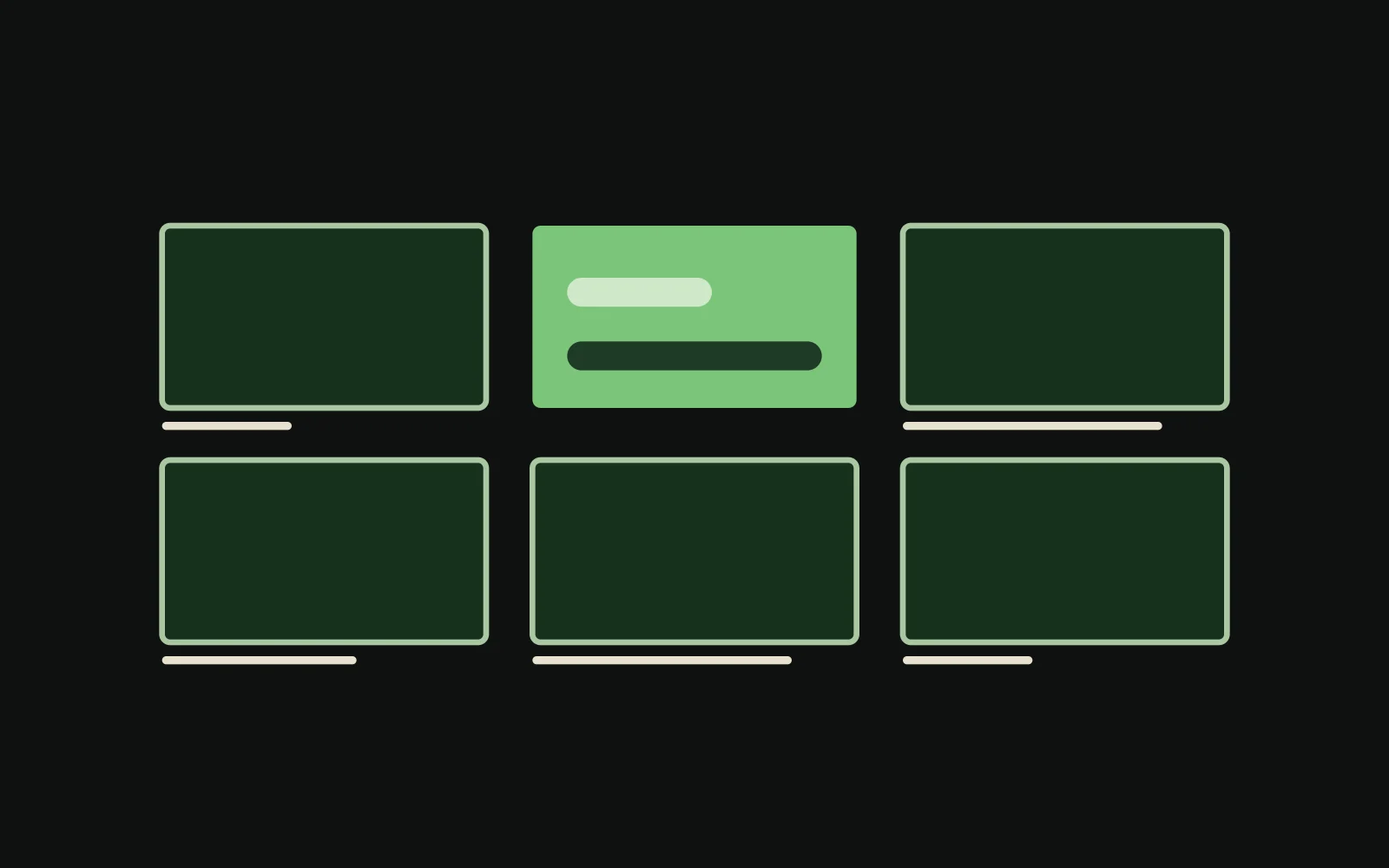
This is a one-page layout that works on paper or in a spreadsheet. Six frames to a page is a good size: large enough to see composition, small enough to read a whole section at once.
STORYBOARD PAGE [n] of [N]        SONG: [title]        VERSION: [date, v1]

+-----------------+  +-----------------+  +-----------------+
|                 |  |                 |  |                 |
|   [drawing 1]   |  |   [drawing 2]   |  |   [drawing 3]   |
|                 |  |                 |  |                 |
+-----------------+  +-----------------+  +-----------------+
SHOT:      01             02                 03
TIME:      00:00          00:04              00:08
SECTION:   Intro          Intro              Verse 1
SIZE/ANGLE: EWS / HIGH    MS / EYE           CU / EYE
MOVE:      Static         Slow push in       Static
LYRIC:     (none)         (none)             "[first line]"
LOCATION:  [A]            [A]                [A]
NOTES:     [light, prop, cast, continuity, effects, permission needed]

(repeat for the next three frames)
Fill in the drawing last, if you must. The row of notes under it carries the information the crew needs. If a frame needs more than the notes allow, add a second line to it instead of crowding the drawing.
Add a header on page one with the song title, length, tempo, the director's name, the version date and a legend of the codes you use. Number the pages. Change the version date every time you change a frame, and put old versions in a folder called archive, so the crew is never shooting from an out-of-date page.
What is an animatic, and is it worth making?
An animatic is the storyboard turned into a rough video: the frames placed on a timeline against the song, each held for the length of its shot. It is worth making for any video with more than a handful of shots, because it shows pacing problems that static pages hide.
It takes little time. Export or photograph the frames, place them in an editing program in order, set each to its planned length and lay the track underneath. Play it through and watch for frames that sit too long, sections where nothing changes for several shots and places where the picture does not match the lyric. Adjust the storyboard until the animatic feels right, then lock it.
The animatic also helps the artist. People who struggle to read drawings can usually follow a rough video with the song playing, and approving an animatic is much safer than approving a sheet of frames. If the artist wants a change, that is the cheapest moment to hear it.
What mistakes cost the most time on set?
The costliest mistakes are boarding a version that cannot be shot at the location, forgetting what the location looks like, over-planning the frames that do not matter and under-planning the ones that do. Almost all of them come from drawing the board without having seen the place or counted the hours.
- Drawing for a location you have not seen. Visit it, or at least look at photographs from several angles. Note the walls, windows, power points and where the sun comes in.
- Ignoring the time of day. If a frame needs daylight through a window at a certain angle, say so and plan the schedule around it.
- Frames with no lyric or time. A board without positions in the song cannot be turned into an edit.
- The same frame over and over. Look at the pages side by side. If every chorus frame is a medium shot, the chorus will look flat.
- Impossible moves. A smooth tracking shot through a doorway needs space and time to rehearse. Plan for it or choose a simpler move.
- No plan for the performers' energy. The last set-ups of a long day get tired performers. Put the key close-ups early.
- Crossing the line. Reversing screen direction in a conversation confuses the viewer unless it is deliberate.
- Treating the board as law. The board is a plan. On the day, a better angle may appear, and the board should allow the director to take it while still getting the shots the edit needs.
- No version control. Two crew members working from different versions is a common cause of missed shots.
How do you use the storyboard on the shoot day?
Use it as a checklist and a reference, not a script. Print it, share it digitally with every department, and tick each frame off as it is shot, with a note of which take was best. The director and the editor both gain from a record of what was actually captured.
Start the day by walking through the first few set-ups with the camera and lighting people, frame by frame. Many boards show a frame that looks possible on paper but needs a different position when the space is in front of you. Make the change on the board in pencil, and tell the editor.
Then work from the shot list, not the storyboard order. Group frames that share a location and light, shoot all of them while the set-up is in place, and move on. A well-made shot list from the storyboard saves hours, because it puts every shot in an order that matches the day, not the song. Keep the storyboard on hand so you can see how each frame fits the song.
At the end of the day, check the board against what was filmed. Mark the frames that were not shot and decide, while the crew is still there, whether to get them, replace them or drop them. The editor will thank you for a marked board, especially if a section is short of coverage.
Questions people ask
What is the difference between a storyboard and a shot list?
A storyboard shows the shots in the order the viewer will see them, as pictures with notes. A shot list gives the same shots as written lines, grouped by location and set-up in the order you will film them. The storyboard serves the edit, and the shot list serves the schedule.
Do I need a storyboard for a simple performance video?
You need a plan, though not necessarily drawn frames. A beat sheet with the song's sections, a list of set-ups and a few thumbnails are usually enough for one location and a small crew. Draw full frames for any shot that depends on a prop, an effect, a movement or a specific light.
How many storyboard frames do I need for a three-minute song?
It depends on your cutting rhythm. At 120 bpm in 4/4, cutting every two bars gives a shot every four seconds, which is about 45 shots in a three-minute video. Cutting every bar doubles that. Count from your song's tempo and the pace you want, then adjust as you draw.
What is a treatment for a music video?
A treatment is a written description of the video idea: the concept, the look, the locations, the people on screen, references and a section-by-section account of what happens. Directors write one to pitch an idea to the artist or label. The storyboard is made after it is approved.
Can I storyboard with photographs instead of drawings?
Yes. Photograph a stand-in at the location with a phone, in the angle and size you want, and use those images as frames. It also tests whether the shot works in the real space. Add the same notes under each photograph that you would under a drawing.
What aspect ratio should storyboard frames be?
Draw frames in the shape you will deliver. For YouTube that is usually 16:9, and for Reels and Shorts it is 9:16. If you are making both, draw both shapes for the key shots, because a composition often needs to change when the frame is tall.
Who makes the storyboard for a music video?
Usually the director, sometimes with the cinematographer or an illustrator. On small productions the director draws or photographs it, since the point is to get decisions on paper. The artist reviews it before the shoot, and the editor and the assistant director use it to plan.
Jayde Records shoots and edits music videos, live sessions and short films, and the plan before the shoot is part of that work. You can see finished pieces in our work. Send us the song, a date and where the video will be watched through our contact page and we reply within 24 hours at work@jayderecords.com.