In short: A musician website needs six jobs done: a home page that shows the newest release, a music page with playable links, a shows page with dates and ticket links, a press page with photographs and a short bio, a contact page with a real email address, and, if you sell anything, a store page. Own the domain, keep it fast on a phone, and update the shows page first.
This guide is for solo artists, bands, producers and small labels who are deciding what a musician website should contain, or who have one and suspect it is not working. It assumes you already have music out or about to come out, and that your followers mostly live on Instagram, YouTube and the streaming apps.
It goes page by page: what each page is for, what to put on it, how to mark up your shows so Google can read them, how to choose and hold a domain, how fast the site should be, and the mistakes we see most often. If you only need the argument for owning a site at all, read why musicians need their own website first. If you are building the press page, the electronic press kit guide goes deeper than we do here.
What does a musician website need?
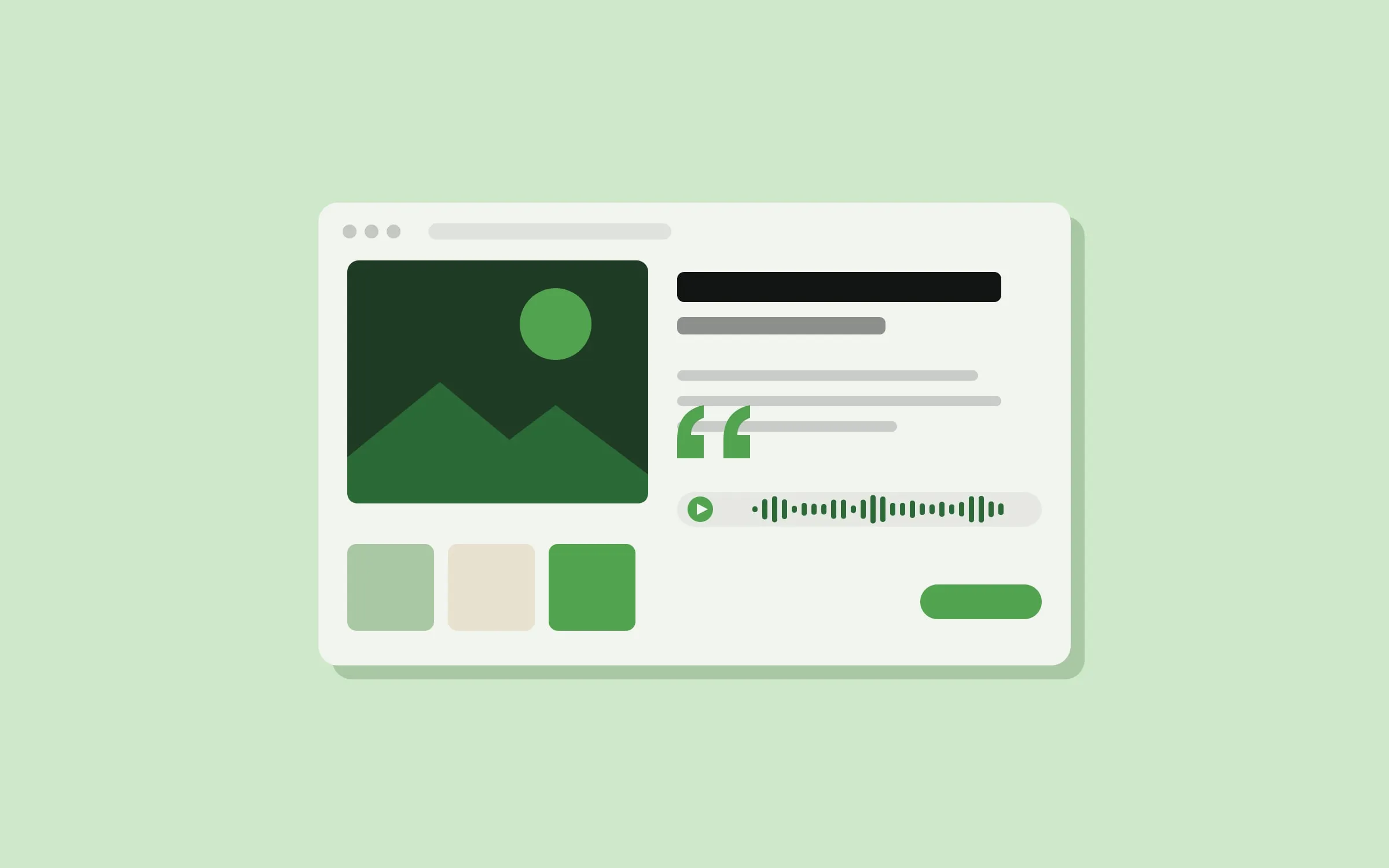
A musician website needs a home page, a music page, a shows page, a press page and a contact page, and a store page only if you sell something. Each page answers one question for one kind of visitor: a listener wants to hear you, a fan wants to know where you play, a promoter or journalist wants to judge you quickly, and a buyer wants to pay without friction.
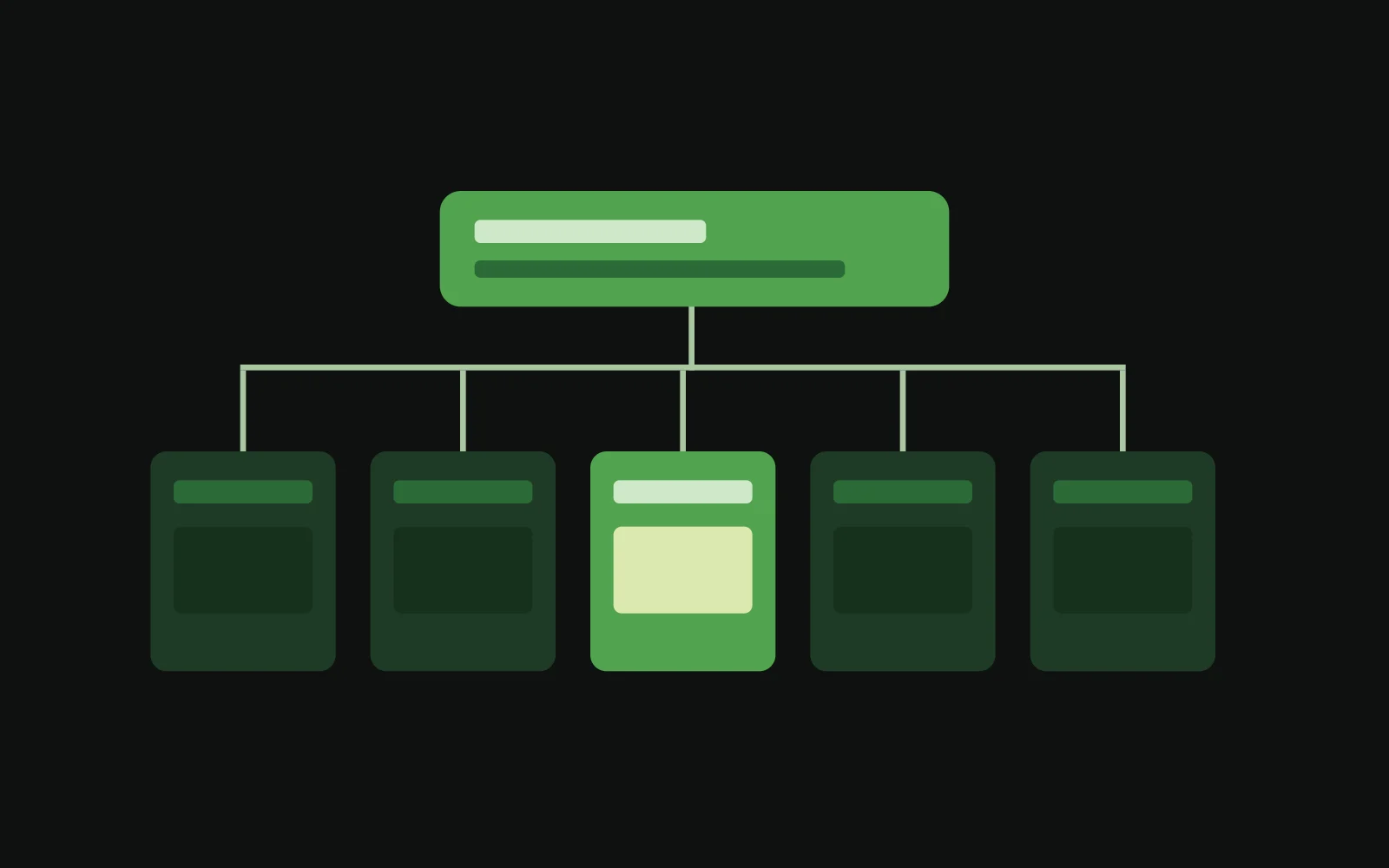
Keep the structure flat. Five or six pages in a top menu is enough for almost every artist, and every page should be reachable in one tap. Google's own SEO starter guide says you do not need to reorganise a site for search, and that structure matters most on large sites. A small, plain site with descriptive page names is already in good shape.
The table below shows the pages, who each is for and how often it changes. The last column matters: a page that goes stale does more harm than a page that does not exist.
| Page | Main visitor | What it must do | How often it changes |
|---|---|---|---|
| Home | Anyone arriving from a link or search | Show who you are and the newest release within one screen | With each release |
| Music | Listeners, playlist editors | Play your songs and link to every service | With each release |
| Shows | Fans | List upcoming dates with city, venue, time and ticket link | Every time a date is confirmed or changes |
| Press | Promoters, journalists, bookers | Give a bio, photographs, links and technical needs | A few times a year |
| Contact | Everyone with a question | Give one working email and say what you reply to | Rarely |
| Store | Buyers | Let someone pick, pay and get a confirmation | When stock or prices change |
How should a musician's home page work?
A home page should show your name, one sentence about your music, and the newest release with a play button or a link, all without scrolling on a phone. Everything else on it is a signpost to the other pages. A visitor who lands there from a poster, a QR code or a search should know within five seconds who you are and what to do next.
Put the current thing first. If a single came out last week, the cover and a listening link lead the page. If a tour is on sale, the next date and the ticket link lead it. When nothing is new, lead with your best photograph and your best song, and do not leave a countdown to a date that has passed.
A home page template that works for most artists:
- Your name as the main heading, then one plain sentence: the kind of music and where you are from.
- The newest release: the cover, a player or a "Listen" link, and the release date.
- The next one to three shows, with a link to the full list.
- A short line for press and bookings with a link to the press page.
- A way to stay in touch: an email sign-up box or a link to the channel where you actually post.
- Links to your profiles, in the footer.
Write the page title with your name in it. Google's guidance on title links says to avoid vague labels such as "Home", to make every title distinct, and to put the site name at the start or the end. "Your Name | Band from Chennai" does the job, and "Home" does not.
What goes on the music page?
The music page holds your releases, newest first, each with a cover, the title, the year, a player and links to the services where people actually listen. In India that usually means Spotify, Apple Music, YouTube Music, JioSaavn and Gaana, plus Instagram if you have a track in a reel. Give each release its own block, and for bigger releases its own page.
Embedding the player saves a click. Spotify describes its embeds as a way to put an album, playlist or other audio on a site you control, with the HTML code copied from the Spotify client and a menu to change the colour, height and width. YouTube's help page on embedding a video says to use Share, then Embed, and notes that its privacy-enhanced mode swaps the address to youtube-nocookie.com so that an embedded view does not affect the viewer's recommendations or personalised ads.
Embeds are heavy. Each one loads a script from another company, and four players on one page can slow a phone noticeably. Show one player for the newest release and a plain list of links for the rest, or load a player only when the visitor taps a button.
Whatever you embed, keep a plain text link to every service next to it. A player can fail to load on a slow connection, in a browser with tracking protection turned up, or inside an app that blocks embeds. A link always works.
Lyrics, credits and a smart link
Give every release a short credit list: who wrote it, produced it, mixed and mastered it, and who played what. Journalists copy from this, and it settles arguments later. If you write about the release, say where it was recorded and what the song is about in your own words.
Many artists use a "smart link" service that sends each listener to their preferred app. That is useful on social posts. On your own site you do not need it, because you can show all the links yourself and keep the visitor on a page you own.
How do you list shows so fans and Google can read them?
List every upcoming show as plain text on the page: date, city, venue name, doors or start time, and a ticket or entry link, with one line per show, sorted by date. Then add structured data, a block of code that tells Google the same facts in a form it can read. Google documents this for event structured data.
The rules Google states are specific. Each event needs a name, a start date and a location with an address. The event must be open to the general public, so an invitation-only private show is not eligible, and it must happen at a physical place, so a stream-only gig is not supported. Each event should have its own page, with its own web address, that focuses on that one event, and a ticket link must lead to a page that actually sells tickets for it.
Google also says not to stuff the event name with the event type, the price, the performer or promotional text. "Your Name live" works as a name and "Your Name live, cheapest tickets, buy now" does not. The ticket price you give should be the lowest available, and it should be kept up to date.
Not every artist needs the markup. If you play four shows a year, a clean list is enough. If you tour, or if your shows have ticket pages of their own, structured data helps your dates appear in a search for your name. Either way, do not mark anything up that is not on the page, because Google compares the two.
Past shows deserve a place too, lower down, because a list of venues you have played is evidence for a booker. Move a date into "past" after it happens and never delete it from the page without a reason. An empty shows page tells a promoter that the band is inactive.
A line for each show should read like this:
14 February 2027, Saturday
Venue name, Neighbourhood, City
Doors 7:30 pm, we play at 9:00 pm
Tickets: link to the ticket page (or "Free entry")
Age limit: say so if there is one
What belongs on the press page?
The press page holds what a stranger needs to write about you or book you without writing back: a short and a long bio, three to five approved press photographs to download, links to your best song and video, any coverage you can quote, and a contact line. It is your electronic press kit, or EPK, built as a web page rather than a PDF.
Build it as a page, and offer a file as well, for two reasons. A page can be updated in a minute and a PDF in someone's inbox cannot. A page also gets found: Google's guidance on helpful content asks whether a page shows first-hand experience and whether it gives a reader enough to reach their goal, and a press page that answers a booker's questions meets both.
Offer downloads with plain names. A file called your-name-press-photo-01.jpg is easier for an editor to handle than IMG_4482.jpg, and Google's image guidance says short, descriptive file names are better than generic ones. Write alt text, the short description a screen reader speaks, for every photograph.
The photographs do a lot of the work on this page. If you do not have current, well-lit portraits and a live frame, plan a session before you build the page: our photography service shoots press portraits, live sets and behind-the-scenes frames, and our press photos guide lists the shots to ask for.
What to leave off the press page
Leave off quotes you cannot source, follower counts that will be wrong next month, and a list of "influences" with no point of view. Do not list a rider here unless you want strangers to read it. A promoter who needs your technical needs can ask for them, or you can offer a single downloadable page for that purpose.
Do you need a store page on a musician website?
You need a store page only if you sell something: merchandise, physical records, prints, tickets to your own events, lessons or presets. If you sell one or two things, a single page with a clear photograph, the options and a pay button is enough. If you sell more, use a proper shop system with a basket, because a spreadsheet and a WhatsApp number do not scale past a handful of orders.
The page must answer four questions before the buyer asks: what is it, what does it cost, how long will delivery take, and what happens if it does not fit or arrives damaged. Put the delivery area and the returns rule in plain words on the same page. Indian buyers expect to pay by UPI, so check that your payment provider supports it.
If you are not ready to run a shop, link to a store on a platform that does it for you, and say so on the page. A half-built store with "coming soon" on it costs trust. If you sell merch, the files you hand a printer matter as much as the shop, and our band merch design guide covers them.
What should a musician's contact page say?
A contact page should give one email address that you check, say who it is for, and tell people what to include so you can reply in one message. Add your management or booking contact if you have one. A form is optional, and a visible email address is not.
Here is a short block you can adapt:
Bookings and press: write to bookings@yourdomain, with the date, the city, the venue name and the kind of event. We reply within three working days.
Collaborations: send a link to your work and one line on what you have in mind.
Anything else: use the same address.
Use an address at your own domain, not a free webmail address. A professional address is a small signal that you are organised, and it moves with you if you change providers. Do not promise a reply time you cannot keep.
If you add a form, test it every month by sending yourself a message. A form that quietly stops working is one of the most common reasons a booking never arrives, and nobody tells you.
Which domain should you buy, and who should hold it?
Buy a domain that is your artist name, and register it in your own name, not a friend's, a former manager's or a designer's. The person named as the registrant owns the domain in practice, and getting it back from someone who has moved on can take months. Keep the login details for the registrar in a place that two people in the band can reach.
Choose a name that people can spell after hearing it once. If the plain version is taken, add a word that describes what you do, such as "music", rather than hyphens or numbers. Say it aloud, write it on a poster in your head, and check whether it still reads clearly with no spaces.
Turn on automatic renewal and put the renewal date in your calendar anyway. An expired domain is parked, sold or squatted quickly, and every link on your posters and profiles points at it. Also check that the site loads over HTTPS, the secure version of the web address that browsers show with a padlock.
The same goes for the site itself. If a designer or a developer builds it, ask for the admin login, the hosting account in your name and a copy of the files at handover. Whoever you hire, including our website service, you should expect all three.
How fast should a musician website load on a phone?
The largest thing on the first screen should finish loading within 2.5 seconds, the page should respond to a tap in 200 milliseconds or less, and nothing should jump around while it loads. Those are Google's "good" levels for Core Web Vitals, the three measures of loading, responsiveness and stability, at the time of writing (November 2026).
web.dev, Google's guide for web developers, defines them in its page on Web Vitals. Largest Contentful Paint, or LCP, should be 2.5 seconds or less, Interaction to Next Paint, or INP, should be 200 milliseconds or less, and Cumulative Layout Shift, or CLS, should be 0.1 or less. They are judged at the 75th percentile of real page loads, split by phone and desktop, so the question is whether three in four visitors have a good experience.
On a musician site the usual causes of slowness are the same four. A huge hero photograph straight from the camera, a background video that starts playing at once, four or five embedded players, and a font or script loaded from somewhere distant. The fixes are plain:
- Resize photographs to the size they are shown and save them in a modern format. web.dev's guide to optimising LCP lists modern formats, compression and the right size among its fixes.
- Never lazy-load the first big image. The same guide says lazy-loading the image that decides your LCP delays it.
- Load players and videos when the visitor taps, not when the page opens.
- Give every image a width and height so the text does not shift when it arrives.
- Keep the home page to one background video at most, and do not start it with sound.
Google says good Core Web Vitals align with what its core ranking systems seek to reward, and it does not describe them as a standalone ranking factor. Treat speed as a courtesy to a listener with a modest phone and a slow connection, and any ranking benefit as a bonus.
How do you get a musician website to show up in Google?
Make the site readable for people first: your name in the page titles, plain sentences about who you are and where you are from, one page per release, and links from every profile you have. Then add the site to Search Console, Google's free tool for seeing how your pages appear. There is no trick beyond this, and Google's starter guide says there are no shortcuts that automatically rank a site first.
Because most searches for an artist are searches for the name, the aim is modest and achievable: when someone types your name, your site should be on the first page, along with your streaming profile and your social accounts. A new site with a common name needs more help than one with a distinct name, and links from other pages matter. Ask the venues, festivals, labels and writers who have worked with you to link to your site, not to your Instagram.
Four things to do in the first week:
- Write a distinct title and a one or two sentence description for each page. Google's page on snippets says descriptions should be unique and should summarise the page, not list keywords, and that Google may use page content instead.
- Write alt text for each photograph, describing it plainly, as in "Vocalist on stage in blue light holding a microphone".
- Check the phone version. Google's mobile-first indexing page says it uses the mobile version of a site to index and rank, so the phone page needs the same content, headings and structured data as the desktop one.
- Link to the site from your streaming bios, your social profiles, your YouTube channel description and your email signature.
The fuller routine, with Search Console set-up and a monthly check, is in our guide to website SEO for small businesses. It applies to a band as much as to a shop.
What are the common mistakes on musician websites?
The most common mistakes are out-of-date shows, music that is hard to play, no contact address, and a site built so that only one person can change it. They are all fixable in an afternoon. The table lists the ones we see most often and the fix for each.
| Mistake | Why it costs you | Fix |
|---|---|---|
| Shows page lists dates from last year | A booker reads it as an inactive band | Move finished dates to a past list and set a calendar reminder to review the page monthly |
| Autoplaying music or a loud intro | Visitors who did not ask for sound leave | Let the visitor press play |
| Only a link to Linktree or a streaming app on the home page | You have no page for search to find and nothing of your own to show | Build the home page first, then link out from it |
| Contact by a form only, untested | Messages vanish and you never know | Show an email address and test the form monthly |
| Camera photographs uploaded at full size | Slow phone loading, wasted mobile data | Resize to display size and compress |
| Domain registered by a designer or ex-manager | You cannot move or renew it | Register in your name and keep the login in two places |
| Text inside images | Search cannot read it and screen readers skip it | Put dates and names in real text, with the poster as a separate image |
| Different content on phone and desktop | Google indexes the phone version | Use one responsive design with the same content |
One of those deserves a note. The mistake of using only a link page as your site is a real choice some artists make on purpose, and our post on link in bio versus a website sets out when that is enough and when it is not.
A build checklist, in order
If you are building the site yourself or briefing someone, work in this order. It puts the pages people need first and the polish last, so a site that is half-finished is still useful.
- Buy the domain in your name and note who can log in.
- Collect the assets: three to five press photographs, the cover of each release, a short bio of about 50 words and a long one of about 200, your best video link, and your credits.
- Write the page text before designing anything. A design built around real words looks better than one filled with placeholder lines.
- Build the home, music, shows and contact pages first. Press and store can follow.
- Put the site address and a working contact email in every profile you have.
- Test on a real phone on mobile data, and not just on a laptop on fast wifi. Check that every link works and every player plays.
- Add the site to Search Console and submit the address. Check that the title of each page reads sensibly in the results a few weeks later.
- Set a monthly reminder: update shows, check the form, check the links, look at the speed.
If you would rather not run any of this yourself, choose a set-up in which you can edit shows, releases and photographs without a developer. A site that needs a phone call to change a date will have the wrong date on it.
Should you use a site builder or have a site made?
Use a site builder if you are comfortable with templates and your needs are simple, and have a site made if you want it to match your artwork, load quickly, handle a shop or a ticket flow, or look unlike every other band's. Both are legitimate. The question is whether you will keep it current.
With a builder, check four things before you commit: whether you can export your content, whether you can connect your own domain, whether the free plan puts the builder's name in your address, and whether the pages load fast on a phone. A builder you cannot leave is a lease, not ownership, and the guide on owning your site explains why that matters.
With a custom site, ask to see something the maker has built and to open it on your own phone. Ask what you can edit yourself and what needs them. A good maker will build around your release art and your photographs, and will explain the choices in words you understand.
Consistency across the site comes from a brand sheet: your colours, fonts, logo files and the way you write. If you have not made one, do it before the build, since changing the look after the pages are written costs more than doing it first.
Questions people ask
Do musicians still need a website in 2026?
Yes, if you want one place that you control. Streaming apps and social feeds decide what sits next to your music and who sees it, and they can change their rules. A website holds your music, dates, press kit and contact details at an address you own, and it is the page a promoter or journalist opens when they look you up.
How many pages should a band website have?
Five or six are enough for most bands: home, music, shows, press, contact, and a store if you sell merchandise. Add a page for each major release if you want it to be found in search. More pages are not better. Every page you add is one more that must be kept up to date.
What should a musician put on the home page?
Your name, one plain sentence about your music, the newest release with a way to listen, the next one to three shows, a link to the press page and a way to stay in touch. It should fit on a phone screen without scrolling much. Lead with the newest thing, and remove it once it is out of date.
Can I use Linktree instead of a website?
A link page is enough if you have little to say and one place to send people, such as a single release. It gives search nothing of your own to index and no space for a press kit or show listings. Many artists use both: a link page for social posts and a website for everything else.
How do I put my shows on Google?
List each show as text on your site with the date, venue, city and a ticket link, and add event structured data so Google can read the same facts. Google requires a name, start date and location for each event, and the event must be open to the public at a physical place. Keep the page current and give each event a page of its own if you can.
How often should I update my musician website?
Update the shows page whenever a date is confirmed or changes, the home and music pages with each release, and the press page a few times a year. Once a month, spend ten minutes checking links, the contact form and the loading speed on a phone. A site that looks maintained is a site people trust.
Do I need a business email address for my band?
You do not need one, but you should have an address at your own domain for bookings and press. It looks organised, it stays with you if you change email provider, and it is harder to confuse with a fan account. Keep one address for business so enquiries do not get lost between personal inboxes.
Jayde Records designs and builds websites for musicians, labels and small businesses, takes the press photographs that go on them, and cuts video for the home page. We have built a shop and its Android and iPhone apps as well, which you can see in the Bakeyy case study. Tell us what you are releasing and where you want people to land through the contact page, and we reply within 24 hours.