In short: A social media content calendar is a dated plan of what you will post, where, and who does what before it goes out. Build one by choosing three or four content pillars, setting a posting rhythm you can sustain, filling one month in a single sitting, and scheduling it in the apps. Review it monthly against saves, shares and enquiries.
This guide is for people who run the social media of a small business, a shop, a studio or a band, whether that is you alone or you plus one helper. It assumes you post on Instagram and probably YouTube, and that you already know what you sell.
It covers what goes into a content calendar, how to decide how often to post, a template you can copy, how to batch the making, what the apps will and will not let you schedule at the time of writing (November 2026), how approvals should work, and how to review the plan after a month.
What is a social media content calendar?
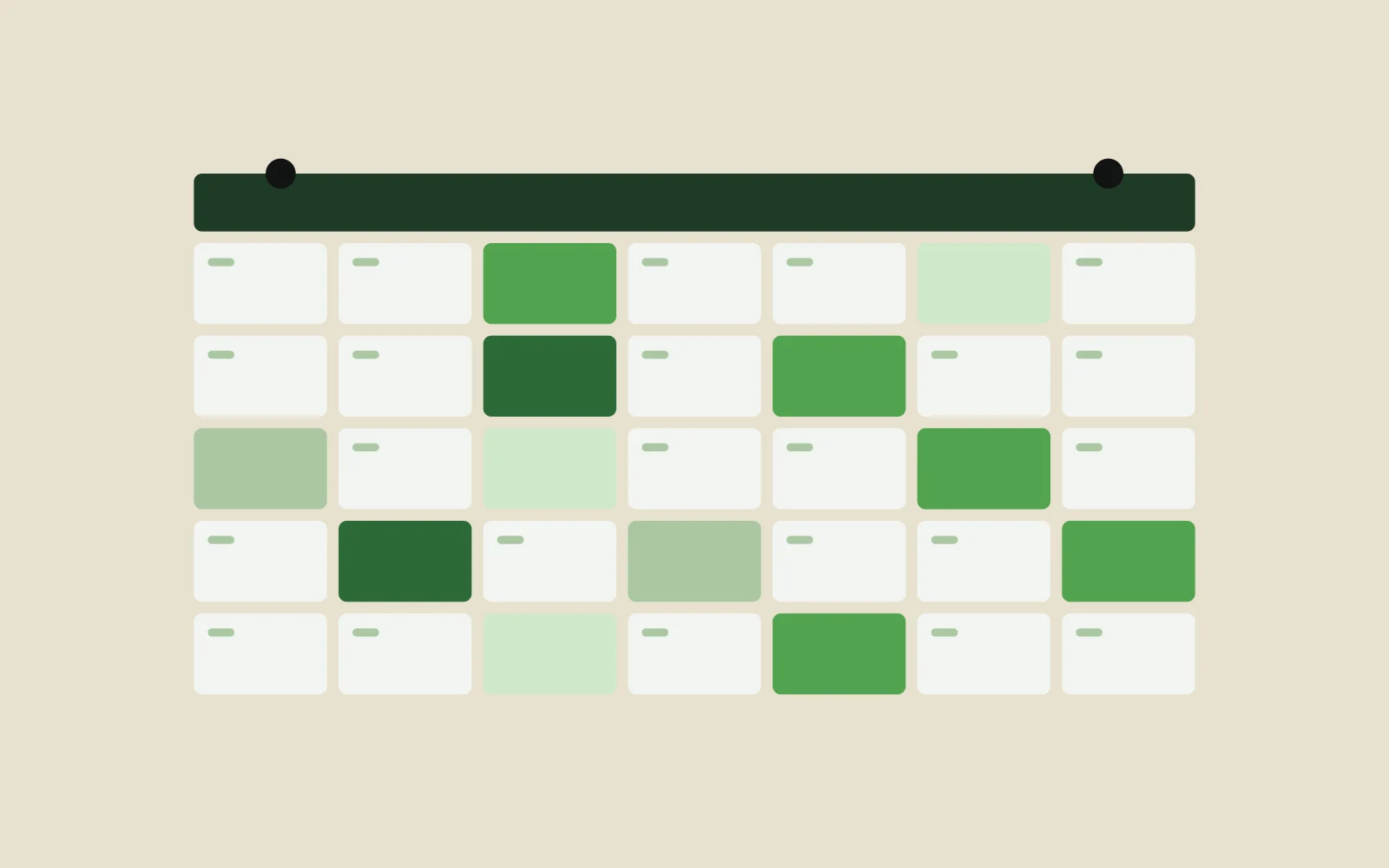
A social media content calendar is a table or a calendar view that lists every planned post with its date, platform, format, idea, caption, status and owner. It answers one question every morning: what goes out today, and is it ready. Without it, most small accounts post in bursts when someone remembers, then go quiet for two weeks.
The calendar is not the same as a strategy. A strategy says who you are talking to and why. The calendar turns that into dates. If you have no strategy yet, the pillars section below gives you enough of one to start.
A calendar also protects the work you have already done. A day of filming produces material for weeks, and only a dated plan tells you which clip runs when. The batching section below shows how to turn one filming day into a month of posts, and how to plan the cuts before you shoot.
How many posts a week should a content calendar have?
Choose the number you can keep up for three months, not the number a guide says is ideal. For most small accounts that is two to four feed posts or Reels a week plus Stories on the days there is something to say. A steady three a week beats seven in one week and none in the next.
Neither Instagram nor YouTube publishes a recommended number of posts per week in the help pages we read for this guide, so any figure you see quoted as the right amount is someone's experience, not a platform rule. What the platforms do publish are limits, and those are covered further down.
A sensible way to find your number is to count hours. Take the hours you can give to social media in a week, subtract the time for replying to comments and messages, and divide what is left by how long one post really takes you from idea to scheduled. If a Reel takes three hours and you have six, your number is two Reels, not five.
| Hours a week you can give | A realistic rhythm | What to drop first |
|---|---|---|
| Two to three | Two feed posts or Reels, a few Stories | Anything that needs fresh filming each week |
| Four to six | Three posts, Stories on shop or event days | Daily Stories with no purpose |
| Eight or more, or two people | Four to five posts across formats, a weekly Story sequence | Posting to a platform you do not read the results of |
The table is a starting point from how time works, not a survey result. Adjust it after your first month of numbers.
How do you choose content pillars?
Content pillars are three or four recurring themes that every post belongs to. They stop the calendar from becoming a list of whatever came to mind, and they make it easy to see when you have posted six product photos and nothing else. Pick themes from what your customers ask you most often, not from what feels interesting to make.
A workable set for a small business has one pillar that shows the product or service, one that shows how it is made or done, one that answers questions, and one that shows the people or the place. A musician swaps these for the music, the making, the stories behind songs and the live shows, which is the same idea we use in social media for musicians.
Write each pillar as a sentence with an example, so someone else could assign a post to it. "Answers: a 30-second reply to a question we get by message, filmed at the counter" is a pillar. "Educational content" is not.
- Show it. The product or service in use, with one clear detail on screen.
- Make it. A part of the process people rarely see: packing, setting up, editing, checking.
- Answer it. A real question from comments, direct messages or WhatsApp, answered in under a minute.
- Meet us. The people, the place, or the day, so the account feels like it belongs to someone.
If you want a fifth, make it a dated one: offers, launches, festival days and events. Dated posts are the ones that need a calendar most, because they cannot move.
How do you build a monthly content calendar, step by step?
Build the calendar one month at a time, in one sitting of about two hours, a week before the month starts. Fixed dates go in first, then recurring slots, then the open slots filled from an idea list. Working in that order stops the fixed dates from being squeezed out.
- List the fixed dates. Launches, sales, events, shop closures, public holidays and anything with a deadline. Put them in before anything else.
- Mark the posting days. Choose the weekdays you will publish, using the rhythm from the table above. Keep the same weekdays every week for the first month so the habit forms.
- Assign a pillar to each slot. Rotate them so no pillar appears twice in a row.
- Fill each slot with an idea. One line: what the viewer sees and what they should do or know afterwards.
- Choose the format. Reel, carousel, single image, Story sequence or YouTube Short. Decide this before you shoot, because the format decides how you frame the shot.
- Write the captions and hooks in bulk. A caption written in one go with the others is usually clearer than one written at 11 pm.
- Set the status of every row. Idea, shot, edited, approved, scheduled, posted. You will see at a glance where the month is stuck.
- Leave two empty slots. Something will happen that you did not plan for, and you want room to post it.
The idea list is what makes step four fast. Keep a running note on your phone where you drop a question a customer asked, a thing you noticed while packing an order, a photo you liked. When it is time to fill the calendar, you are choosing from a list, not staring at a blank cell.
What should a content calendar template look like?
A good template has one row per post and about ten columns, no more. More columns than that and nobody fills them in. The table below shows a filled example for a made-up shop so you can see how the columns work together.
| Date | Platform | Format | Pillar | Idea | Status | Owner |
|---|---|---|---|---|---|---|
| Mon 2 Feb | Reel | Make it | Packing an order, start to box closed | Shot | Asha | |
| Wed 4 Feb | Carousel | Answer it | Three questions customers ask before buying | Idea | Ravi | |
| Fri 6 Feb | Instagram, YouTube | Reel and Short | Show it | One product, one detail, close up | Edited | Asha |
| Sat 7 Feb | Stories | Meet us | Saturday at the shop, five frames | Approved | Ravi |
The names, dates and posts are invented to show the layout; nothing in them is a real client. Beyond these columns, add three more only if you need them: caption link or file, approval date, and a results note. If you work alone, you can drop Owner.
You can keep this in a spreadsheet, a shared note, or a paper wall chart. The tool matters less than the habit of opening it. If your team is already in a spreadsheet for everything else, use that. If you plan visually, Meta's own planner shows scheduled content in a weekly or monthly view, which is covered below.
Here is a plain-text version you can paste into a note and copy for each post:
Date and time:
Platform and format:
Pillar:
Idea (what the viewer sees):
What they should do or know afterwards:
Caption and hashtags:
Files (video, image, subtitles):
Alt text for images:
Approved by and on:
Status: idea / shot / edited / approved / scheduled / posted
Result after seven days (reach, saves, shares, enquiries):
How do you batch content so the calendar actually gets made?
Batching means doing the same kind of task for many posts in one sitting: one day of filming, one session of editing, one session of captions. It works because switching between tasks is where time is lost. A calendar without batching tends to turn every post into a small emergency.
A batch day for a small business can be built like this. Pick one day a month. Film all the Show it and Make it clips in the order of the shot list, using the same light and the same spot, and film each clip a little longer than needed so you can trim it. Photograph the products while the set-up is already there. Record the Answer it clips in a quiet corner, one after another.
The next day, or a few days later, edit in the same order. Export every clip in the shape it will be posted, vertical for Reels and Shorts, and name the files with the date and a word, such as 2026-02-06-detail-closeup. Naming files by date means the folder sorts itself into the calendar.
- Film and photograph at the same time. A still taken during a video session costs a minute; a separate photo session costs an afternoon.
- Shoot for the sound-off viewer. Plan on-screen text and captions, because many people watch with the sound off.
- Keep a folder of reusable pieces: your logo animation, an end card, a caption style, a colour grade.
- Leave the last day of every batch for checking, not making.
If you do not have the time or the crew to film a batch yourself, this is the part we do for clients. See the closing note for how that works. For framing and the safe areas on vertical video, our guide to aspect ratios and sizes has the numbers, and the same measurements apply to a shop's Reels.
How far ahead can you schedule posts on Instagram and YouTube?
On Instagram you can schedule up to 25 posts a day, up to 30 days in advance, from the app. Instagram's help page says the account must be public, and that you can schedule reels, photos and carousel posts. It also lists what does not work with scheduled content at present: product tagging, collaborative posts, sponsored posts and fundraisers.
That list matters for a shop. If a planned post needs product tags or a collaborator, you may need to publish it by hand on the day, so mark those rows in the calendar. The same page says scheduled content keeps the privacy and audience settings you had when you scheduled it, and that you can edit, reschedule, delete or share now from the Scheduled content list in your profile menu.
On YouTube, you schedule from the Visibility step of the upload. YouTube Help says that if you choose Schedule and pick a date, the video stays private until then, and you can schedule a specific time. It also warns that if your account has a Community Guidelines strike, a scheduled video will not publish during the penalty period, so check the dashboard the morning of an important release.
What counts as a Short is also a planning question. YouTube Help says a video counts as a Short when it is square or vertical, up to three minutes long, and uploaded on or after 15 October 2024. On the Instagram side, a reel can be up to 20 minutes, but Instagram's help page on recording reels adds that reels over three minutes will not be recommended to new audiences. For a calendar, that means planning your short clips well under three minutes.
| Question | Instagram (in-app scheduling) | YouTube (upload scheduling) |
|---|---|---|
| How far ahead | Up to 30 days | A date you choose; the page gives no limit |
| How many a day | Up to 25 | The page gives no limit |
| What stays private until then | Not applicable; it is not published | The video is private until the date |
| What does not work | Product tags, collaborative posts, sponsored posts, fundraisers | Publishing is blocked during a strike penalty period |
Limits change often. Open the help page before you plan a month around a number, and note the date you checked.
Should you use Meta Business Suite to plan Facebook and Instagram together?
Yes, if you post to both Facebook and Instagram, because one planner can schedule to either or both. Meta's Business Help Centre describes the planner in Meta Business Suite as a place to plan what you publish across both, with scheduled content visible in a weekly or monthly view, and says you can publish to Facebook, Instagram or both.
The same page lists time-savers that suit a small team: delete a piece of content from the calendar date if you change your mind, duplicate a post you have already made, and save content as drafts. It also says you can give access to the people who create content, then review what has been scheduled or published in the planner.
To schedule, Meta's help page on saving and scheduling posts says to go to Content, then Create post, turn on Scheduling options, pick a date and time and click Schedule. There is also an Active times button for choosing a time when your audience is most active. Scheduled posts appear in the Planner tab, and you can reschedule from there.
One feature in that article is for other countries. The planner's Moments suggestions for important dates are, in Meta's words, only available for businesses based in the US at the time of writing, so build your own festival and sale dates into the calendar by hand. The section on festivals, sales and launches below shows how to do that.
How should approvals work in a content calendar?
Approval should be one named person, one check, and one deadline before the scheduled time. More reviewers do not make a post better; they make it late. If you work alone, the approver is you, the next morning, with the post open on your phone.
Give the approval a short checklist so it is the same every time. A checklist keeps the approver from rewriting the post and keeps the poster from arguing with feedback.
- Does the first second make sense with the sound off?
- Are names, prices, dates, links and phone numbers right? If a price appears, check it against the shop, not against memory.
- Is every claim something you can back up, such as "delivered across India" only if it is true for the pin code?
- Are the captions on, and is the on-screen text readable at phone size?
- Does it carry music or footage you have the right to use?
- If it is an ad or a paid partnership, is that clearly marked?
Set the approval deadline at least a day before the scheduled time for a team of two or more, and the evening before for a single person. For anything sensitive, such as a complaint response or a post about an event with a client, mark it Hold in the status column and decide on the day.
The approver's job also includes the rights check. If you use a sound effect or a music track, make sure the licence allows it. Our free library has sound effects and music you can use without sign-up or royalties, which keeps one question off the checklist.
How do you plan around festivals, sales and launches?
Put the fixed date in first and plan backwards from it. A launch on a given Friday needs a teaser a week before, the main post on the day, a reminder on the weekend and a thank-you after. Working backwards from a date is the simplest use of a calendar and the one where it saves the most stress.
A usual run-up for a dated event has five beats:
- Tease. Show a detail without the full reveal, one to two weeks before.
- Announce. State the date, the place, and what to do.
- Remind. A Story or a short clip two days before and on the morning.
- Happen. Post from the event itself, in real time if you can.
- Follow up. A thank-you, a result, or what is next, within two days.
For a music release the same beats stretch across six weeks, as laid out in our music release plan. For a shop or a service the beats are shorter, and what you offer decides how many you need.
Most Indian festival dates move each year because they follow lunar and regional calendars. Do not copy dates from last year's calendar. Take the year's dates from a published holiday list, enter them as fixed rows in January, and mark the regional ones that matter to your customers.
How do you measure a content calendar and improve it?
Review the calendar once a month with the same five numbers every time, and write down one change. The numbers that tell you most are reach, saves, shares, profile visits and the number of enquiries you can trace to social media. Likes are the easiest to count and the least useful on their own.
On Instagram, insights are free for public accounts and cover any period in the past 90 days, per Instagram's help page on account and content insights. That page also says audience demographics need a preset timeframe and more than 100 viewers or accounts engaged, so a very small account may not see them yet. The (i) icon on each Insights screen gives Instagram's own definition of every metric.
A monthly review can fit on one page. Copy the questions below into your calendar file and answer them in writing.
Month reviewed:
Posts planned / posts published:
Which three posts had the most saves and shares? What did they have in common?
Which pillar got the least response? Keep, change or drop?
Which day and format worked best?
How many enquiries or orders can we trace to social media? How do we know?
What slowed us down? (late footage, approvals, no ideas)
One change for next month:
Answer "planned versus published" honestly. If you plan twelve posts and publish eight, the problem is the plan, not the posting. Cut the plan to eight and make those good.
Look at the weak posts too. A post that fell flat teaches you what the account's viewers do not want from you, and that is as useful as knowing what they do.
What are the common mistakes in a content calendar?
The most common mistake is planning more than the team can make. The second is planning every post as a sales post. The third is building a calendar and never opening it again after week two.
| Mistake | What it looks like | The fix |
|---|---|---|
| Too ambitious | Daily posting in week one, silence by week four | Halve the number; keep the same weekdays |
| All selling | Every post is an offer or a product shot | Rotate through the pillars; one in four can sell |
| No fixed dates | A sale starts and nothing was planned | Enter dated rows first, then fill the gaps |
| No owner | Everyone assumes someone else is posting | One name per row |
| Scheduled and forgotten | A post goes live when the offer has ended | Check the Scheduled list every Monday |
| Same clip everywhere, unchecked | A watermark or wrong crop on the second platform | Export a clean file for each platform |
| No review | The same weak format for six months | Do the one-page monthly review |
The Monday check is worth keeping. Open the Scheduled list on Instagram and the Planner in Meta Business Suite, read the next seven days, and delete or edit anything that is out of date. It takes five minutes and prevents the most embarrassing mistakes.
Questions people ask
What is the best tool for a social media content calendar?
The best tool is the one your team opens every day, so a shared spreadsheet is enough for most small businesses. Use Instagram's in-app scheduling or Meta Business Suite for the publishing step, and keep the planning in one file. A free tool you use beats a paid one you avoid. Change tools only when the file stops being easy to read.
How far in advance should you plan social media content?
Plan one month ahead in detail and the following month in outline. Instagram's help page says you can schedule up to 30 days ahead, so a detailed plan beyond that cannot be loaded into the app anyway. Keep two slots open each month for things that happen on the day, and revisit the outline once a month.
How many content pillars should a small business have?
Three or four. Fewer than three and the account feels repetitive; more than four and you cannot post each often enough to build a recognisable habit. Write each as a sentence with an example, so any helper can sort a new idea into the right one. Add a fifth, dated pillar for offers and events if you need it.
Can I schedule Instagram Stories?
The Instagram help page we read lists reels, photos and carousel posts as the content you can schedule from the app, and does not list Stories. Meta Business Suite describes scheduling posts and stories, but features change by account and region. Open the scheduling screen in your own account and check before you plan around it.
How do I keep a content calendar going when I run out of ideas?
Keep an idea list year-round and build it from real questions: what customers ask, what they get wrong, what you explain twice a week. Turn each one into an Answer it post. Reuse your best posts in a new format, such as a carousel from a Reel. Ideas come from customers more reliably than from brainstorming.
Should the same post go on every platform?
The idea can, the file should not. Export a clean copy for each platform without the other app's watermark, check the crop, and rewrite the caption for the place where it will be read. YouTube Shorts and Instagram Reels both take vertical video, so one edit can serve both with small changes.
We plan, film and edit the content that goes into a calendar like this one, for brands and musicians across India: see social media and video for what that covers. Tell us what you sell and how often you want to post through the contact page, and we reply within 24 hours.