In short: A YouTube Official Artist Channel (OAC) is a single artist page that merges your own channel, your auto-generated Topic channel and your subscribers. You cannot apply directly. You need an official release delivered by a distributor or label, a channel you own and run, and a request made on your behalf by your distributor, label or a Music Service Partner.
This guide is for independent artists, bands and producers whose music is on YouTube but scattered: a Topic channel nobody can edit, a personal channel with a few videos, and perhaps a Vevo or label upload under a slightly different name. It explains what an Official Artist Channel is, who qualifies and what the request involves.
We use YouTube Help and YouTube Music Help as the main sources and say where distributor help pages add detail. The rules below are as they stand in November 2026, and YouTube edits its pages often, so check the current wording before you plan around any single line.
What is a YouTube Official Artist Channel?
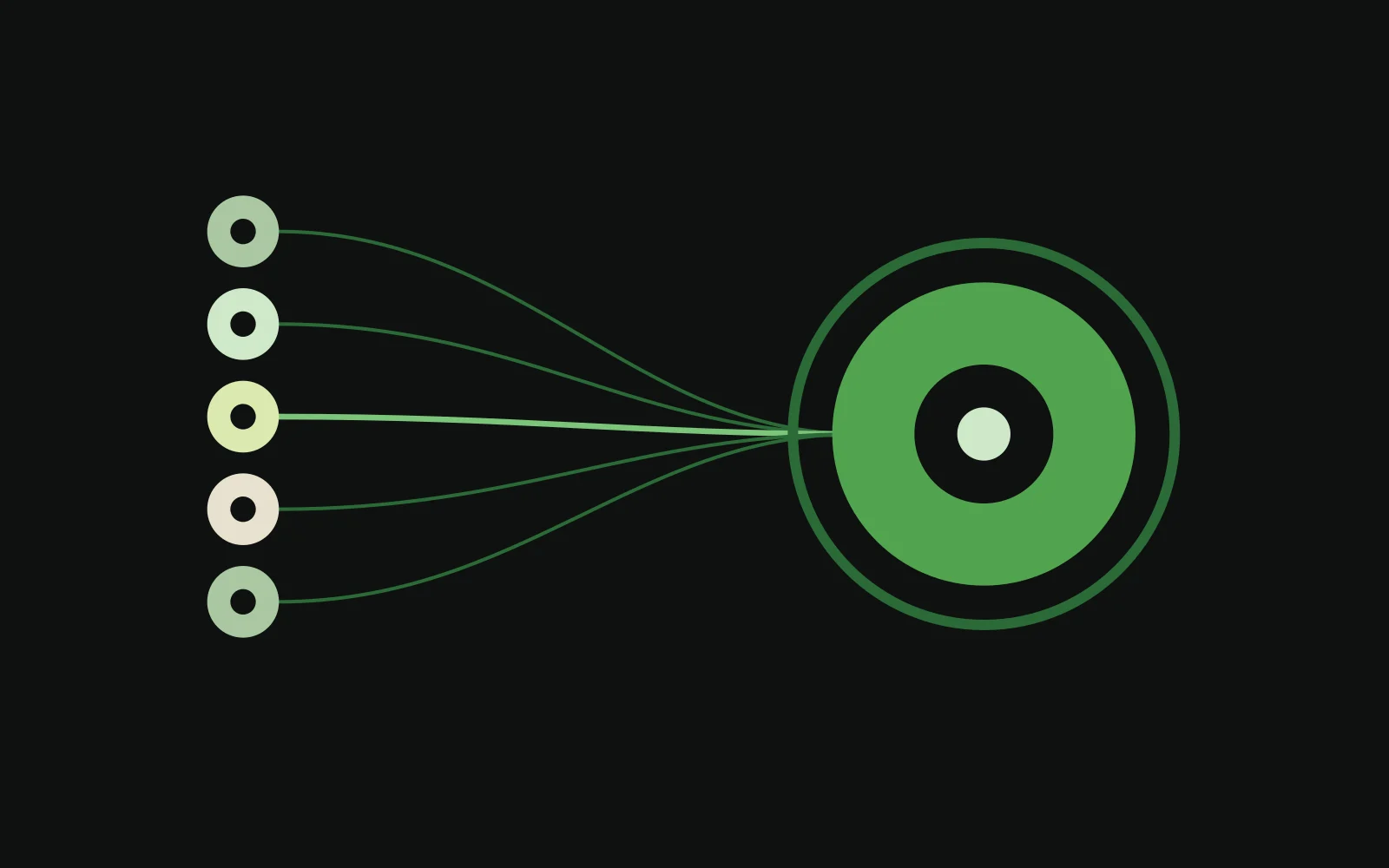
A YouTube Official Artist Channel is a special type of channel that, in YouTube's words, brings together all your subscribers and content from your different YouTube channels into one place. It is the version of your artist page that you control, with official releases, music videos and your own uploads under a single name and a single subscribe button.
According to YouTube Help, an Official Artist Channel also comes with tools such as Analytics for Artists, Ticketing and Merch. YouTube's help page for finding music describes it as a collection of an artist's music and videos from across all their channels. A listener finds it by searching for you or by watching one of your official music videos.
Without one, your music on YouTube is spread across places you do not fully control. Your distributor's delivery creates audio-only videos on an automatic page, and any video you upload yourself lives on your channel. A listener who searches your name may land on either, and each has its own subscribers.
An OAC is not a prize for being big. YouTube sets requirements about how your music reaches the platform and how your channel behaves, and it does not ask for a minimum number of subscribers in its help page. That makes it an option for a new independent artist with one release.
What is a YouTube Topic channel?
A Topic channel is a channel YouTube creates for you automatically, titled with your name followed by "Topic", and you cannot edit it. YouTube's help page says it is auto-generated, and its About section says so. The page explains that YouTube builds these channels by identifying the central topics in an artist's videos and grouping them into collections, and that they can include both artist-channel content and user-generated content.
For a musician, the Topic channel is usually where the audio-only versions of your songs sit. Distributor help pages, such as RouteNote's explainer, describe the process: your distributor delivers audio, artwork and metadata to YouTube Music, YouTube creates an "art track" (an automatically generated video for an audio recording) for each song, and links it to the Topic channel. A new release may first sit on a release-specific Topic channel before moving to your artist's one.
YouTube says a Topic channel is created when an artist has a significant presence on the platform, and that an artist may not have one if they have few videos, few views, or videos that do not meet its quality standards. Artists generally cannot log in to it, rename it or delete it. Another distributor, Amuse, notes that the only way to remove one is to take the release down from YouTube Music altogether.
That is the problem an OAC solves. You cannot claim a Topic channel, but you can have it merged into an Official Artist Channel, where its subscribers and music join your other content.
Who is eligible for a YouTube Official Artist Channel?
You are eligible if you own and operate a single artist or band channel focused on your music, you have at least one official release on YouTube delivered and distributed by a music distributor or label, and your channel follows YouTube's policies. You also need one of four connections to YouTube's music partners, covered below. YouTube Help lists these as requirements, and all of the first three are needed.
The page says you must meet all of these:
- You own and operate a single artist or band channel focused on your music.
- You have at least one official music release on YouTube, delivered and distributed by a music distributor or label.
- Your channel complies with all YouTube policies, including the Community Guidelines, Terms of Service and copyright policies.
And at least one of these:
- You work with a YouTube Partner Manager.
- You are in the YouTube Partner Programme.
- You are in a label network that works with a YouTube Partner Manager.
- Your music is distributed by a music partner listed in the YouTube Services Directory for Music Partners.
For most independent artists the last one is the practical route: you release through a distributor, and that distributor is a listed music partner. If you are unsure, ask your distributor whether it is listed in the YouTube Services Directory and whether it requests Official Artist Channels for its artists. Our comparison of music distributors covers what each offers more broadly.
YouTube also gives a tip: it recommends at least one publicly uploaded video on the artist channel besides an official release. It warns that requests for channels with no public videos may be rejected or need extra verification. A channel with nothing on it looks like a placeholder, so upload something before the request goes in.
How do you apply for a YouTube Official Artist Channel?
You ask your distributor or label to request it, because artists do not apply themselves. YouTube Help says to ask your label or distributor to request an Official Artist Channel for you. If you have neither, a Music Service Partner listed in YouTube's directory can request it for you, and partners can make the request as part of delivering your music to YouTube.
The exact process depends on the company, but distributor help pages show a common pattern. Record Union's guide is one example: you confirm that you have a live release and an owned channel for one artist, send links to your Topic channel and your own channel, and the distributor submits the request. YouTube then merges the Topic channel with your existing channel.
Here is the sequence to follow, whatever distributor you use.
- Release through a distributor with YouTube Music or YouTube as a store, and wait until the release is live.
- Find your Topic channel. Search your name followed by "Topic" on YouTube, and note the link. If you cannot find one, check that the release is live and under the right artist name.
- Check your own channel. It should be one channel for one artist, with a profile picture, a banner, an About section and at least one public video apart from the official release.
- Make the names match. The artist name on the release, the Topic channel and your channel should be spelled the same way.
- Send the request to your distributor's support team with the links to your channel and your Topic channel, and say you want an Official Artist Channel.
- Wait for the merge. Neither YouTube Help nor the distributor page we read gives a processing time, so ask your distributor what to expect.
- Check the result. Look at the channel from a logged-out browser and from the app. Confirm the releases, the videos and the subscriber count.
Do not make two requests through two routes at once. If you have a label and a distributor, decide which of them speaks to YouTube for you, and ask only that one. Duplicate requests make it harder for anyone to tell which channel is the official one.
Why is your Official Artist Channel request taking so long or being refused?
The usual causes are mismatched artist names, a channel with no public videos, no live official release yet, or a distributor that is not set up to make the request. YouTube's help page names one of these directly: requests for channels with no public videos may be rejected or need extra verification.
The table sets out the common causes of a stall, what each looks like, and what to do. Some come from YouTube Help, and others from distributor help pages, which describe what they see when requests fail.
| What is wrong | What you see | What to do |
|---|---|---|
| No public video on your channel besides the official release | Request is rejected or asks for more verification | Upload a video you own, such as a live clip or lyric video, and make it public |
| Release not live yet | No Topic channel to link | Wait until the release is live in YouTube Music, then send the request |
| Releases under "Various Artists" | Your songs are not on your Topic channel | Ask your distributor to fix the artist metadata. Record Union notes releases often show this way at first, until YouTube finds or creates the right Topic channel |
| Spelling differs between channels | YouTube cannot link them confidently | Use the identical artist name on the release and the channel |
| Two artists run one channel | Eligibility fails the single artist test | Make a channel per artist |
| Your distributor does not offer the service | Support tells you it does not request OACs | Ask whether a Music Service Partner can request it, or move your next release |
| A Community Guidelines strike | The channel is a standard channel again | Resolve the strike. YouTube restores the OAC automatically once the criteria are met |
If you wait and nothing happens, go back to your distributor with the links and the date of your last message. A short, specific note such as "release live since this date, Topic channel here, channel here, public video here" gets answered faster than "where is my OAC".
What happens to your subscribers and channels when they merge?
Your subscribers from your Topic channel, your existing channel and your Vevo channel (if you have one) are merged into the new Official Artist Channel. YouTube Help says the subscribe button and subscriber count will no longer be displayed on your existing channel or your Topic channel, and that your OAC subscriber count may rise as your audience consolidates.
For listeners, the change is mostly invisible. YouTube's page says that if you are subscribed to an artist's Topic channel or partner-provided channel, you are subscribed automatically to their OAC when it is created, and notifications come from the OAC. Once a listener subscribes to an OAC, their Topic subscription becomes inactive and drops from their list. The Topic channel can still be searched, but it no longer has a subscribe button.
New music videos reach people whichever channel they followed before, according to the help page. That is the practical gain: you stop splitting a small audience across several pages. For an independent artist with a few hundred subscribers spread over three channels, the combined page looks stronger and the notifications go to everyone.
The help page also warns that if you become eligible for an OAC, you may lose access to features that are exclusive to non-OAC channels, such as Ask Studio. Read the current page for any other trade-offs, and decide whether the Artists tools are worth them for you.
What does an Official Artist Channel look like?
An OAC has a featured video at the top, then a mix of automatic and customisable sections. YouTube Music Help lists them: Releases, Music videos, Popular sounds from Shorts, Videos, shelves you build yourself from playlists and channels, Concerts if you have turned them on, and Fan Shorts.
The table lists what each section holds and how much control you have, from the help page.
| Section | What it shows | Your control |
|---|---|---|
| Featured video | A video at the top of the page, which can differ for new visitors and returning subscribers | You choose |
| Releases | An auto-generated section of all your releases, with one version of a multi-version release, and only releases where you are the primary artist | Automatic |
| Music videos | Official music videos and art tracks from across all your channels, by upload date and popularity | Automatic |
| Popular sounds from Shorts | Up to eight of your songs most used in Shorts over seven days | You cannot edit the songs, but you can remove, reorder or re-add the shelf in YouTube Studio |
| Videos | Your most recent video content from your Videos tab | Automatic |
| Custom shelves | Playlists and channels you have curated | You build them |
| Concerts | Upcoming concerts, if enabled in YouTube Studio | You can turn it off |
| Fan Shorts | Fan-made Shorts that use your music | You choose which to feature |
Releases are ordered, the page says, with the most recent release first, then full-length albums, EPs, and singles from newest to oldest. The music shelves are ordered by popularity and recency. Karaoke releases are left out of the Releases tab.
The shelf you can shape most is the custom one. A playlist of your live videos, one of lyric videos and one of other artists' songs that shaped yours give a visitor reasons to stay.
Do Shorts behave differently on an Official Artist Channel?
Yes, because YouTube applied its three-minute Shorts rule to Official Artist Channels later than to ordinary ones. YouTube Help says that on standard channels, videos uploaded on or after 15 October 2024 that are square or vertical and up to three minutes long are classified as Shorts, while for Official Artist Channels the date is 8 December 2025.
That matters for a clip you upload as a vertical video. A vertical clip under three minutes uploaded to an OAC after that date is a Short, which changes where it appears and how it is treated by copyright claims. YouTube says that if you want a vertical video to stay long-form, use a wider aspect ratio such as 16:9.
The same page says Shorts over one minute with an active copyright claim are blocked globally, while Shorts under a minute are not affected by that restriction. If your distributor has registered your song for claims, a ninety-second Short of your own chorus can be blocked. Our guide to Reels and Shorts for musicians explains the claims problem and what to ask your distributor.
The shape of a video is a decision to make at the shoot, not in the edit. If you plan a full music video for the main release and clips for Shorts, shoot both frames on purpose. We explain the planning in our guide to music video formats.
Official Artist Channel, Topic channel or ordinary channel: how do they compare?
An ordinary channel is yours to run, a Topic channel is run by YouTube, and an Official Artist Channel combines the two with extra tools. The table compares what matters to an artist.
| Ordinary channel | Topic channel | Official Artist Channel | |
|---|---|---|---|
| Who makes it | You | YouTube, automatically | Requested by your distributor or label, created by YouTube |
| Who controls it | You | YouTube. Artists generally cannot edit it | You, for the customisable parts |
| What is on it | Videos you upload | Art tracks and audio from your distributor, and other content YouTube groups | Official releases, music videos and your uploads from your channels |
| Subscribers | Your own | Subscribing adds the channel to a list but sends no videos or notifications if there is no OAC | Merged from your channel, the Topic channel and any Vevo channel |
| Artist tools | Standard Studio tools | None | Analytics for Artists, Ticketing and Merch |
| Features you may lose | None | Not applicable | Some features exclusive to ordinary channels, such as Ask Studio |
If you only have a handful of songs and no plans for more, a Topic channel and a plain channel might be enough. If you release regularly and want one page for every release, the OAC is worth the request. We think it is the better default for any artist with a real release plan.
What should you prepare before asking for an Official Artist Channel?
Prepare your channel, your artwork, your names and your links, so the request can go through in one message. A channel that looks like a real artist page and a clear note to your distributor make the whole thing quicker. This checklist is what we would tick off first.
- One channel, one artist. If you run a band and a solo project, give each its own channel.
- A profile picture and banner in your artist look. The banner is a good use for your best press photograph. Our guide to press photos for musicians lists the shots to ask for.
- An About section with a short bio, a contact email and links to your other pages. Two clear lines are enough to start.
- At least one public video of your own, apart from the official release. A live clip, a lyric video or a short film all count.
- Matching names. Check the spelling and spacing of your artist name on the release, the Topic channel and your channel.
- The links to your channel and your Topic channel, ready to paste.
- A clean record. No Community Guidelines strikes, and no unresolved copyright problems on the channel.
The public video is the item people forget and the one YouTube names. If you have a music video planned, post it first. If you have no footage, a simple filmed take of the song is enough to show there is a real artist behind the page. Our guide to filming a live session shows how to capture one properly, and our video page covers what we shoot and cut.
What can you do with an Official Artist Channel once you have one?
Once the channel is live, use it as your home on YouTube. Set the featured video, build the custom shelves, check the Releases section for errors, and add Concerts and Merch if they apply to you. YouTube Music Help says you can choose different featured videos for new visitors and for returning subscribers.
Here is a first-week routine.
- Check the Releases section for every song, in the right order and under the right artist.
- Set the featured video. Use your best performance for new visitors. Use your latest release or a live announcement for subscribers.
- Add custom shelves. Make two or three playlists with a clear purpose: live, lyrics, behind the scenes.
- Review the Popular sounds from Shorts shelf. If it shows songs you would rather not lead with, reorder or remove it in YouTube Studio.
- Open Analytics for Artists and look at where your viewers watch from. For a Bangalore act, it is useful to see how much of the audience is elsewhere in India or abroad.
- Tell your listeners. Put the new link in your Instagram bio and on your website. We cover the profile in our guide to an Instagram profile for musicians.
Keep the channel active. YouTube's help page says an OAC is suspended and becomes a standard channel if it gets a Community Guidelines strike or has content with limited features. It is restored automatically once the strike or the limited-feature content is gone and the other criteria are met. Read the Community Guidelines before you upload sample-heavy or borrowed material.
For longer-term planning, the channel is one part of a release. Our release plan guide shows where a YouTube premiere sits in a release plan, and our Spotify for Artists guide covers the matching step on the other big platform.
Questions people ask
Can I request a YouTube Official Artist Channel myself?
Not directly. YouTube Help says to ask your label or distributor to request it, and if you have neither, a Music Service Partner listed in its directory can request it for you. Artists release through a distributor anyway, so in practice you email its support team with links to your channel and Topic channel and ask them to make the request.
How many subscribers do I need for an Official Artist Channel?
YouTube's requirements page does not list a subscriber count. It asks for a single artist channel you own, at least one official release delivered by a distributor or label, policy compliance, and one connection to a partner, such as a listed distributor. That puts an OAC within reach of a new independent artist with one release.
Can I have an Official Artist Channel without a distributor?
You need a release on YouTube delivered by a distributor or label, so a distributor is part of the route. If you have no label or distributor, YouTube says a Music Service Partner can request an OAC for you, often as part of delivering your music to YouTube. Look up partners in the YouTube Services Directory.
Will I lose my subscribers when channels merge?
No. YouTube says subscribers from your Topic channel, your Vevo channel if you have one, and your existing channel are merged into the new OAC, and your count may rise as your audience consolidates. The subscribe button and count no longer appear on the old channels, and people subscribed to your Topic channel are subscribed to the OAC automatically.
Can I edit my YouTube Topic channel?
Generally no. Topic channels are generated and managed by YouTube, and distributor help pages say artists cannot log in to edit or delete them. The usual way to gain control is an Official Artist Channel, which merges the Topic channel's subscribers into a page you manage. Wrong metadata on a release is fixed through your distributor.
Why are my songs listed under "Various Artists"?
Record Union notes that releases often show under Various Artists at first, until YouTube finds or creates the correct Topic channel. If it persists, the artist name in your release metadata may not match across the release, or the channel is new. Ask your distributor to check the artist name on the release.
An Official Artist Channel only looks as good as what is on it. Jayde Records shoots and cuts music videos and live sessions, takes press photographs for your banner and art, and builds websites that hold your songs and videos in one place; scyrn shows a night we photographed, filmed and edited. Send us a note on the contact page and we reply within 24 hours.